Comparison
Cursor vs VS Code With AI Extensions
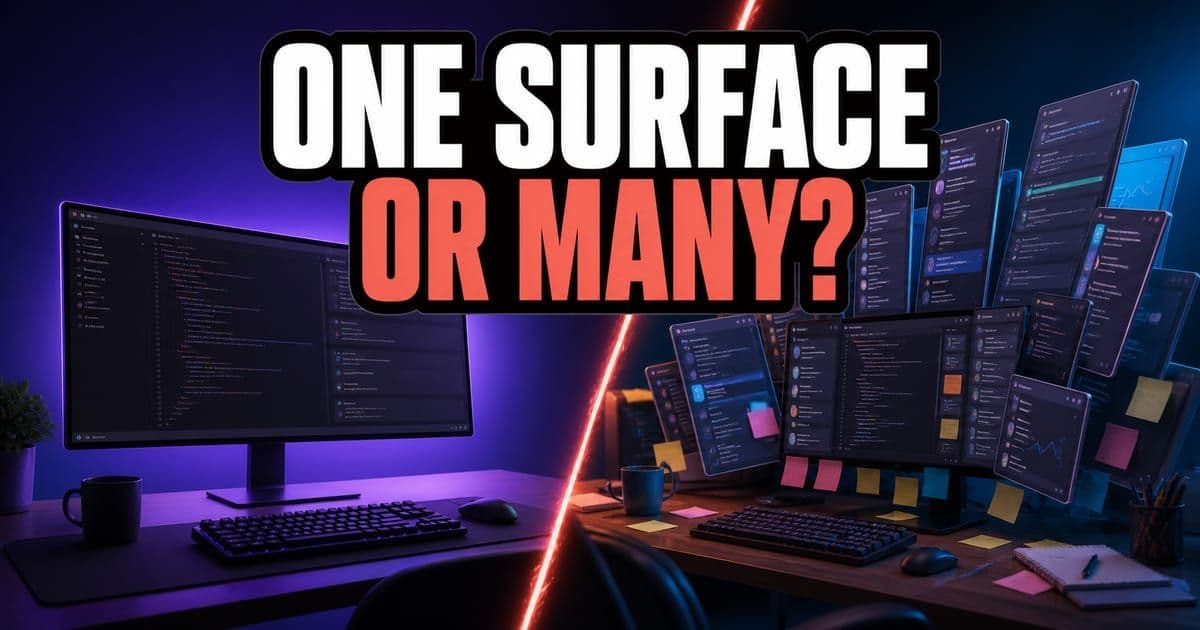
Choose Cursor when your team wants an editor built around the agent, with parallel agents, cloud handoff and Bugbot review in one product. Stay with VS Code when switching editors is the main blocker, since it now ships its own Ask, Plan and Agent modes. The trade-off is one integrated product against your choice of harness and extensions.
On this page
- Which option should you choose?
- What same-task test should you run?
- How do you keep the comparison current?
- What's new in Cursor recently?
- What does moving from VS Code to Cursor involve?
- Which extensions should you check before switching?
- What does a dedicated AI editor add over VS Code's own agents?
- When does composing AI from extensions stop working for a team?
- When is staying on VS Code the right answer?
Which option should you choose?
The choice between Cursor and VS Code with AI extensions comes down to how much your team is willing to change the way it already works. The table compares fit and risk for each option, and the matrix below it shows the same trade-off in one view.
- Choose
- Cursor
- Best fit
- Teams that want a dedicated AI coding editor with Agents, Tab, CLI, Cloud and BugbotCursor's automated PR reviewer that posts inline findings and can push fix commits from isolated VMs. Press Enter for the full definition.
- Watch out for
- Editor change, pricing shape and agent behavior on your codebase
- Choose
- VS Code with AI extensions
- Best fit
- Teams that want to keep VS Code, with its built-in agents and a harness such as Copilot, Claude or Codex
- Watch out for
- Policy split across extensions, and cloud sessions still marked experimental
- Choose
- Workflow training layer
- Best fit
- Teams that need standards, benchmarks, policy and repeatable agent workflows
- Watch out for
- It complements the coding tool. It does not replace the editor.
| Choose | Best fit | Watch out for |
|---|---|---|
| Cursor | Teams that want a dedicated AI coding editor with Agents, Tab, CLI, Cloud and BugbotCursor's automated PR reviewer that posts inline findings and can push fix commits from isolated VMs. Press Enter for the full definition. | Editor change, pricing shape and agent behavior on your codebase |
| VS Code with AI extensions | Teams that want to keep VS Code, with its built-in agents and a harness such as Copilot, Claude or Codex | Policy split across extensions, and cloud sessions still marked experimental |
| Workflow training layer | Teams that need standards, benchmarks, policy and repeatable agent workflows | It complements the coding tool. It does not replace the editor. |
The coding tool and the operating model around it are separate choices.
Interactive diagram. Tab through its regions; each focused region shows its detail in the panel below.
This is covered hands-on in Cursor First Hour — 4 short Units, free to read.
What same-task test should you run?
Feature lists don't show how a tool behaves on your code. Run the same real task through each option and compare what comes back.
- 1Pick a bounded code task with one expected behavior change.
- 2Run the same prompt and constraints through each tool.
- 3Capture plan quality, changed files, test result, review load and recovery path.
- 4Show screenshots or trace excerpts. Do not rely on claims alone.
Use a task from your own backlog instead of a clean example. A well-specified change to a small file makes every option look good, so it tells you little. Differences show up on harder work: a file with an odd historical pattern, a change that crosses two layers, or a bug whose cause sits far from the symptom.
Watch the recovery path as closely as the result. Every tool gets things wrong, so what matters is what a mistake costs you. Check whether you can see what the agent worked from, stop it halfway and keep the good part, and tell from the diff which changes you asked for. We would pick a tool that fails in a way you can follow over one that is right slightly more often but opaque when it fails.
How do you keep the comparison current?
Prices and features change after a comparison is written. Two habits keep it useful.
Pricing, feature and enterprise claims need a visible checked date.
Say where each product is weaker, so buyers can weigh the trade-off.
Cursor ships often, so the specific details on this page will date. Treat them as a starting point, and check each vendor's changelog and pricing page before you decide. A comparison written six months ago and never rechecked can leave a team arguing about a limitation that has since been fixed.
What's new in Cursor recently?
Cursor ships often, so advice about it can go out of date. The table summarizes Cursor's recent releases, so you can check this page against the current product. For each release's date and sources, see What's new in Cursor 2026.
- Surface
- Compile 2026
- What to know
- Cursor's June conference (June 16, per press coverage) centered on Origin, larger from-scratch model training and Cursor Mobile.
- Surface
- Origin
- What to know
- Early beta since August 17, 2026, on most paid plans: repos, pull requests with Code Tours, GitHub sync and a CLI. Standalone pricing and self-hosting are still unpublished.
- Surface
- Model and mobile
- What to know
- Composer 2.5The current Composer release, better at long-running tasks and at judging when a job needs a light touch versus deep work. Press Enter for the full definition. is available now. Cursor says it is training a larger model with SpaceXAI. Cursor Mobile now has its own product page.
- Surface
- Automations
- What to know
/automate, Slack emoji triggers, GitHub triggers for issue comments, reviews and workflow runs, computer use, PR defaults and memory cleanup.
- Surface
- Cloud AgentsAgents that run in a Cursor-managed virtual machine, check out the repo, do the work and open a pull request, then shut down, with no load on your laptop. Press Enter for the full definition.
- What to know
- Guided cloud environment setup, reusable snapshots,
.cursor/environment.json,/in-cloud,/autopilot(formerly/babysit) and local/cloud handoff.
- Surface
- Review
- What to know
- BugbotCursor's automated PR reviewer that posts inline findings and can push fix commits from isolated VMs. Press Enter for the full definition. averages about 90 seconds per review and finds 10% more bugs per review.
/reviewruns it locally before you push. Cursor's June changelog says Composer 2.5The current Composer release, better at long-running tasks and at judging when a job needs a light touch versus deep work. Press Enter for the full definition. now powers Bugbot, and these figures may change.
- Surface
- Design and Canvas
- What to know
- Design ModeA way to point at an element in Cursor's built-in browser and change it directly, instead of describing it in words. Press Enter for the full definition. supports multi-select and voice queueing. Canvases support Design Mode, context reports, Debug with Agent, full-screen sharing and prompt buttons.
- Surface
- SDK and run modes
- What to know
- SDK agents can use custom tools, auto-review, JSONL or custom stores, nested subagents and request IDs. Auto-review Run Mode runs known-safe calls, sandboxes shell commands where it can and sends the rest to a classifier.
- Surface
- Enterprise and pricing
- What to know
- Organizations sit above teams, and groups scope model access, spend and agent permissions. Teams launched with Standard and Premium seats and two usage pools, Cursor ModelsOn legacy Cursor plans, the monthly usage pool for Cursor's own models (Grok 4.7, Grok 4.6, Grok 4.5 and Composer 2.5), kept separate from the third-party Other Models pool. The X Subscription replaces it with one weekly pool. Press Enter for the full definition. and Other ModelsOn legacy Cursor plans, the monthly pool for supported third-party models from providers such as Anthropic, Google and OpenAI, separate from Cursor Models. On The X Subscription third-party models are billed from prepaid credit instead. Press Enter for the full definition.. Those seats are now legacy, and current Teams seats are Premium, Super and Ultra on The X SubscriptionThe subscription Cursor is sold through: one plan for Grok, Cursor and X, with Free, Plus, Premium, Super and Ultra tiers, per-seat Teams, a weekly included pool for Cursor models shared with Grok, and third-party models billed at API list price from prepaid credit. Press Enter for the full definition..
| Surface | What to know |
|---|---|
| Compile 2026 | Cursor's June conference (June 16, per press coverage) centered on Origin, larger from-scratch model training and Cursor Mobile. |
| Origin | Early beta since August 17, 2026, on most paid plans: repos, pull requests with Code Tours, GitHub sync and a CLI. Standalone pricing and self-hosting are still unpublished. |
| Model and mobile | Composer 2.5The current Composer release, better at long-running tasks and at judging when a job needs a light touch versus deep work. Press Enter for the full definition. is available now. Cursor says it is training a larger model with SpaceXAI. Cursor Mobile now has its own product page. |
| Automations | /automate, Slack emoji triggers, GitHub triggers for issue comments, reviews and workflow runs, computer use, PR defaults and memory cleanup. |
| Cloud AgentsAgents that run in a Cursor-managed virtual machine, check out the repo, do the work and open a pull request, then shut down, with no load on your laptop. Press Enter for the full definition. | Guided cloud environment setup, reusable snapshots, .cursor/environment.json, /in-cloud, /autopilot (formerly /babysit) and local/cloud handoff. |
| Review | BugbotCursor's automated PR reviewer that posts inline findings and can push fix commits from isolated VMs. Press Enter for the full definition. averages about 90 seconds per review and finds 10% more bugs per review. /review runs it locally before you push. Cursor's June changelog says Composer 2.5The current Composer release, better at long-running tasks and at judging when a job needs a light touch versus deep work. Press Enter for the full definition. now powers Bugbot, and these figures may change. |
| Design and Canvas | Design ModeA way to point at an element in Cursor's built-in browser and change it directly, instead of describing it in words. Press Enter for the full definition. supports multi-select and voice queueing. Canvases support Design Mode, context reports, Debug with Agent, full-screen sharing and prompt buttons. |
| SDK and run modes | SDK agents can use custom tools, auto-review, JSONL or custom stores, nested subagents and request IDs. Auto-review Run Mode runs known-safe calls, sandboxes shell commands where it can and sends the rest to a classifier. |
| Enterprise and pricing | Organizations sit above teams, and groups scope model access, spend and agent permissions. Teams launched with Standard and Premium seats and two usage pools, Cursor ModelsOn legacy Cursor plans, the monthly usage pool for Cursor's own models (Grok 4.7, Grok 4.6, Grok 4.5 and Composer 2.5), kept separate from the third-party Other Models pool. The X Subscription replaces it with one weekly pool. Press Enter for the full definition. and Other ModelsOn legacy Cursor plans, the monthly pool for supported third-party models from providers such as Anthropic, Google and OpenAI, separate from Cursor Models. On The X Subscription third-party models are billed from prepaid credit instead. Press Enter for the full definition.. Those seats are now legacy, and current Teams seats are Premium, Super and Ultra on The X SubscriptionThe subscription Cursor is sold through: one plan for Grok, Cursor and X, with Free, Plus, Premium, Super and Ultra tiers, per-seat Teams, a weekly included pool for Cursor models shared with Grok, and third-party models billed at API list price from prepaid credit. Press Enter for the full definition.. |
A summary only. The release tracker linked above gives each release's date and sources.
What does moving from VS Code to Cursor involve?
Mechanically, less than the editor-change row above implies. Cursor is a VS Code fork with the same default shortcuts, and it has a one-click import. Open Cursor Settings with Cmd/Ctrl + Shift + J, go to General, then Account, and click Import under VS Code Import. Extensions, themes, settings and keybindings come across in one batch.
Nothing forces a clean break either. Cursor installs as its own application, and both editors can open the same projects, so a trial costs a dock icon and some disk space. For finer control than the batch import gives you, export one VS Code profile and import that instead. Our migration walkthrough covers both paths.
The switching cost sits somewhere else. The time goes on the work no import handles: deciding which tasks go to the agent, and writing the rules file everyone is supposed to share. None of that arrives with the settings.
That is why a two-week trial that checks whether people can still find their keybindings tells you almost nothing. They can, because Cursor is a fork of the editor they already use. Spend the trial on agent work instead.
Which extensions should you check before switching?
Check the extensions your daily work depends on, starting with language servers and linters. Cursor installs extensions from the Open VSX registry instead of the VS Code Marketplace, and the two catalogs don't match. Most popular extensions are on Open VSX, but some aren't listed there, and some that are may not behave exactly the same. For some widely used extensions that aren't on Open VSX, Cursor publishes its own Anysphere builds.
Name the two or three you would refuse to work without, and look each one up on Open VSX before you move your main editor across. A missing theme costs an afternoon of irritation, while a missing language server can mean a week of people quietly not switching. GitHub Copilot is one you won't find, because GitHub doesn't publish its Copilot extensions on Open VSX. If an extension you need has no Open VSX listing and no Anysphere build, that is a real reason to stay on VS Code, covered in the last section of this page.
A registry gap can end a trial early. Someone installs Cursor, finds a hole in their toolchain on day two, goes back to VS Code and reports that the agent seemed fine. Nothing about the agent was tested.
Check the registry first. It takes about ten minutes and protects the rest of the evaluation.
What does a dedicated AI editor add over VS Code's own agents?
Less than older comparisons suggest. VS Code now ships Ask, Plan and Agent modes of its own, runs independent tasks in separate worktrees, connects MCPModel Context Protocol. A standard that lets an AI agent pull in context from outside the repo, like Jira tickets or internal docs. Press Enter for the full definition. servers and generates review feedback. Its AI features cheat sheet says what you get depends on the agent harness you pick, such as Copilot, Anthropic Claude or OpenAI Codex, and on your account and organization policies.
What Cursor adds is a surface built around the agent. Plan Mode is one press of Shift+Tab from the chat input. The Agents WindowCursor's surface listing your agent runs; open a run to read its diff and search transcripts from the command palette. Press Enter for the full definition. runs agents in parallel across repos, collects their diffs and pull requests in one place, and can give each task its own worktree. /review runs BugbotCursor's automated PR reviewer that posts inline findings and can push fix commits from isolated VMs. Press Enter for the full definition. on your changes before you push, and /in-cloud hands the next task to a cloud subagent on its own branch. VS Code's equivalent, cloud sessions, is still marked experimental.
Whether any of that justifies moving editors depends on how much multi-file and parallel agent work your week contains. A team doing mostly completions won't feel the difference. Be skeptical of anyone who claims to know which team you are, because no feature table can tell you.
Look at last month's pull requests instead. Count how many touched more than one file, then weigh that share against the switching cost above.
When does composing AI from extensions stop working for a team?
Around the point where more than one person needs the same setup. A team that assembles AI from several extensions gets whatever controls each extension exposes, configured per developer, across as many settings screens as there are extensions.
That looks like a tidiness problem, and partly it is. The harder version is a question you can't answer quickly. When someone asks which models your code is sent to, the answer has to be assembled extension by extension and machine by machine, and it changes whenever anyone updates anything.
That argues for one control surface, whichever editor you keep. Standardizing on Copilot gives you GitHub's organization policies, content exclusion and audit logs on Copilot Business, but those cover Copilot, not the other AI extensions developers add beside it. VS Code's enterprise policies, deployed through device management, close part of that gap: they control agent mode, MCPModel Context Protocol. A standard that lets an AI agent pull in context from outside the repo, like Jira tickets or internal docs. Press Enter for the full definition. servers, tool approvals and allowed extensions.
On Cursor, a Teams admin manages SSOSingle Sign-On. One company login (usually via SAML or OIDC) instead of a separate password per tool. Press Enter for the full definition., a team-wide spending cap and enforced Privacy ModeCursor's setting that guarantees code data is not used for training by Cursor or its model providers, and that an admin can enforce org-wide; data-retention terms are a separate, contractual layer. Press Enter for the full definition. from one dashboard, and can push an extension allowlist to every member's client. Enterprise adds groups that scope model access, spend and agent permissions, plus SCIMSystem for Cross-domain Identity Management. A standard for automatically creating and removing user accounts when people join or leave. Press Enter for the full definition. and customer-managed encryption keys.
Below about five people, extensions are fine and governance can wait. One person's configuration is the standard by definition. The break comes the first time a new hire has to be set up by someone who didn't choose the setup and can't explain half of it. Uneven agent behavior across a team is also harder to notice than a missing feature, because each developer assumes their own configuration is how the tool works.
Before you decide, write down which models each extension calls and where its settings live. If that list takes more than an afternoon to write, standardize on one control surface.
When is staying on VS Code the right answer?
When the editor change is the obstacle, not the goal. If your week is completions and single-file edits, the case for a dedicated AI editor is thin. Stay put and revisit the question when the shape of the work changes, for example when a team starts handing multi-file changes to an agent.
The other case is a toolchain you can't move: an extension your CI expects everyone to run, a debugger setup nobody wants to rebuild, or a workflow wired to something that exists only on the Marketplace. Those are better reasons to stay than any feature score, and a scorecard never captures them.
Neither decision has to be permanent, because both applications can open the same project. Install Cursor, leave VS Code where it is, and let a month of ordinary work show which one people open first.
Frequently asked questions
Who is this guide for?
Teams deciding whether to switch from VS Code to a dedicated AI editor.
What should I do next?
Run the same-task test on this page with one real task from your backlog, and check each vendor's current pricing before you decide.
Can I import my VS Code settings into Cursor?
Yes. Cursor is a VS Code fork with a one-click import. Open Cursor Settings, go to General, then Account, and click Import under VS Code Import. Extensions, themes, settings and keybindings come across in one batch.
Do all VS Code extensions work in Cursor?
Most popular ones do, but check first. Cursor installs extensions from the Open VSX registry instead of the VS Code Marketplace, and the two catalogs don't match. Cursor publishes its own Anysphere builds of some extensions missing there, but GitHub's Copilot extensions aren't on Open VSX. Look up the two or three extensions you can't work without, starting with language servers and linters.
Sources & last verified
- Cursor product
- Cursor pricing
- VS Code AI features
- GitHub Copilot product
- Cursor Help: Migrate from VS Code
- Cursor Help: Extensions
- Open VSX: GitHub publisher listing (API)
- GitHub Copilot plans
- Cursor docs: Plan Mode
- Cursor docs: Agents Window
- Cursor docs: Bugbot
- Cursor docs: Team pricing
- VS Code docs: Enterprise support and policies
- Cursor docs: Identity and access management
Cursor ships frequently. Facts verified against primary sources on October 28, 2026.