For your role
Cursor for Mobile Engineers: iOS, Android, React Native
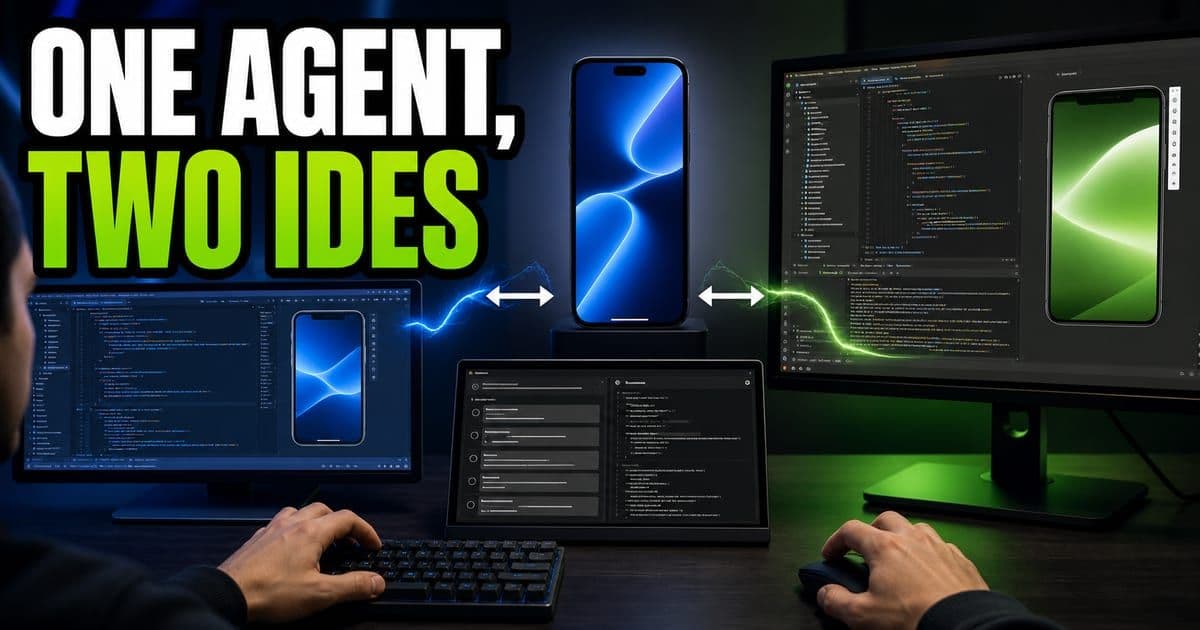
Mobile engineers run Cursor's Agents window as a sidecar next to Xcode or Android Studio. On iOS, Apple's own Xcode MCP server runs the simulator, returns hydrated build logs and screenshots the UI back to the agent. On Android, the JetBrains AI Assistant plugin (via Agent Client Protocol) or IntelliJ MCP plugins do the same. React Native with Expo skips the build loop entirely.
On this page
- How do you use Cursor for mobile development?
- How do you connect Cursor to iOS and Xcode?
- How do you set up the Xcode MCP server?
- How do you connect Cursor to Android Studio?
- Which model should you use for mobile MCP work?
- What about React Native and Flutter?
- Should mobile build profiles be skills or rules?
How do you use Cursor for mobile development?
Run the Agents window as a sidecar next to your native IDE. Cursor already writes Swift and Kotlin well. The missing piece for mobile is the loop around the code: running the simulator, driving the debugger and pulling real build logs. The sidecar pattern closes that gap. You keep Xcode or Android Studio open for the simulator and build infrastructure, run the Agents window right next to it, and jump back and forth while the agent reaches into the IDE through a bridge.
The Agents window is the ground-up native desktop app, not the VS Code fork. Open it from the editor with Cmd+Shift+P → View → switch to agents window, or the agents window button at the top right. It is built around agent-driven work first, which is what makes it a good host for the cross-IDE bridges below.
"The approach for mobile development is using that agent window as a sidecar to help enhance both iOS and Android IDEs and have the integration flow between the two in a bidirectional way." The agent drives Xcode or Android Studio through an MCPModel Context Protocol. A standard that lets an AI agent pull in context from outside the repo, like Jira tickets or internal docs. Press Enter for the full definition. or ACPAgent Client Protocol. An open standard that lets any IDE host any coding agent; Cursor uses it to run inside JetBrains/IntelliJ and Android Studio. Press Enter for the full definition. bridge; you watch and steer.
Interactive widget. Tab through its controls; the result updates in the panel below as you change them.
Rules guide, skills run a definitive workflow, MCP servers expose the IDE's build/debug tools. On mobile you lean on skills + MCP.
What is inside the Agents window?
Three regions: a main prompt window to kick off agents, an agent pane top-left for multiple workspaces, and a right-side inspection panel. The agent pane lets you open several repositories in one instance and run agents across them. Each workspace carries its own co-located indexing, so an iOS repo and an Android repo stay separately indexed in the same window.
- Agent pane (top-left): open multiple workspaces, run agents across them, watch progress unfold in real time. Cloud agents show up here too.
- File browser: traditional inspection of the repo.
- Per-agent sandbox terminal: every running agent gets its own terminal.
- Cursor browser: the agent can test its changes in an integrated browserCursor's built-in browser, driven by Playwright under the hood, so the agent can navigate, click, screenshot and capture each action's metadata while you watch. Press Enter for the full definition..
- Review pane: the agent reviews its own diff; you create branches and commit from here.
Your current branch shows top-right, and on the review tab (top-left) once there are changes. The commit-and-push button has an arrow to its right. If you made changes on main but want them on a different branch, click that arrow to create a new branch and commit there.
This is covered hands-on in Cursor Software Engineer, Product Interview Prep — 7 short Units, free to read.
How do you connect Cursor to iOS and Xcode?
Through an MCPModel Context Protocol. A standard that lets an AI agent pull in context from outside the repo, like Jira tickets or internal docs. Press Enter for the full definition. server that Apple maintains itself, inside Xcode. Xcode spins up an MCP server that exposes its tools. Under the hood it uses Xcode's XPC protocol, bridged out as MCP; Cursor's MCP client discovers the tools and calls them during an agent run. That is what lets the agent build, run the simulator and read diagnostics it otherwise could not reach.
Three tools stand out. A search over Apple's SDK documentation, useful for the finer corners of the platform. A REPL the agent can drive. And the one worth building a workflow around: the render-preview tool.
"This render preview tool will actually give screenshots of the simulator of the app running and give that to the agent." The agent makes a change, reruns the build, gets a screenshot of the actual UI, and iterates toward the end state you described. It is a real visual feedback loop for mobile UI, grounded in pixels rather than guesses.
Interactive diagram. Step through it with the Next and Previous controls below, or Tab to a region to read its detail.
Each pass is grounded in a real screenshot from the simulator, so the agent corrects against what the UI actually looks like.
How do you set up the Xcode MCP server?
Setup writes config into your user-level ~/.cursor/mcp.json file (MCPModel Context Protocol. A standard that lets an AI agent pull in context from outside the repo, like Jira tickets or internal docs. Press Enter for the full definition. is Model Context Protocol, the standard that exposes tools and APIs to the LLM to invoke during a run). You can paste the JSON directly, or use a deep-link install that auto-bubbles the config into mcp.json. After install, Xcode starts the bridge and you have to approve it.
- 1Add the Xcode MCPAn MCP server Apple maintains inside Xcode that exposes the simulator, build logs and debugging to Cursor, so the agent can run and iterate on iOS apps it writes. Press Enter for the full definition. config to
~/.cursor/mcp.json, by deep-link install or by pasting the JSON. - 2Open Xcode. It will prompt you to allow the bridge connection.
- 3Click allow each time it asks, roughly five allows on first connect. "That is Apple for you."
- 4If the MCPModel Context Protocol. A standard that lets an AI agent pull in context from outside the repo, like Jira tickets or internal docs. Press Enter for the full definition. will not connect, run the known fix-it command sequence, then reload Cursor.
- 5If the agent builds via raw terminal commands instead of the MCPModel Context Protocol. A standard that lets an AI agent pull in context from outside the repo, like Jira tickets or internal docs. Press Enter for the full definition. tool, reload the bridge:
Cmd+Shift+P→ reload.
You re-approve the bridge every time you open Xcode, not just once. Budget for the repeated allows on each session.
The biggest win is build-and-run plus richer logs. "The build-time logs are a little bit more hydrated from Xcode versus the build command in the terminal." Hydrated logs give the agent finer diagnostic detail to iterate on, which a raw terminal build does not surface.
How do you connect Cursor to Android Studio?
Android has three flavors, and you can mix them. Option A is ACPAgent Client Protocol. An open standard that lets any IDE host any coding agent; Cursor uses it to run inside JetBrains/IntelliJ and Android Studio. Press Enter for the full definition.: install the JetBrains AI Assistant pluginA Cursor marketplace package that bundles MCP servers and skills (sometimes sub-agents and hooks); one click installs all of it into your Cursor instance. Press Enter for the full definition., which exposes Cursor through the Agent Client ProtocolAn open standard that lets any IDE host any coding agent; Cursor uses it to run inside JetBrains/IntelliJ and Android Studio via the Cursor CLI bridge. Press Enter for the full definition., an open standard for coding agents. Any IDE that implements ACP can host any agent that implements it. You also install the Cursor CLICursor's command line: the full agent, all modes and models, in the terminal and pipeable into scripts and CI. Press Enter for the full definition., because the CLI agent runs the ACP bridge. You need the binary locally.
- 1Install the JetBrains AI Assistant pluginA Cursor marketplace package that bundles MCP servers and skills (sometimes sub-agents and hooks); one click installs all of it into your Cursor instance. Press Enter for the full definition. in Android Studio.
- 2Install the Cursor CLICursor's command line: the full agent, all modes and models, in the terminal and pipeable into scripts and CI. Press Enter for the full definition.: the CLI agent runs the ACPAgent Client Protocol. An open standard that lets any IDE host any coding agent; Cursor uses it to run inside JetBrains/IntelliJ and Android Studio. Press Enter for the full definition. bridge.
- 3Open Android Studio's AI chat → install from the ACPAgent Client Protocol. An open standard that lets any IDE host any coding agent; Cursor uses it to run inside JetBrains/IntelliJ and Android Studio. Press Enter for the full definition. registry → find and install the Cursor agent.
- 4Authenticate in the side chat or via the CLI; the auth propagates up into the IDE.
- 5The model you set in the CLI propagates through, and you get the agent modes ACPAgent Client Protocol. An open standard that lets any IDE host any coding agent; Cursor uses it to run inside JetBrains/IntelliJ and Android Studio. Press Enter for the full definition. supports.
Option B mirrors the iOS approach with IntelliJ MCPModel Context Protocol. A standard that lets an AI agent pull in context from outside the repo, like Jira tickets or internal docs. Press Enter for the full definition.-server plugins. Enable the MCP server pluginA Cursor marketplace package that bundles MCP servers and skills (sometimes sub-agents and hooks); one click installs all of it into your Cursor instance. Press Enter for the full definition. for broad IDE functionality, and add the separate debugger MCP server for fine-grained control: set line breakpoints, conditional breakpoints, start, step out, step in: basically anything you would do in the debugger UI, driven over MCP. You can also enable "pass to IntelliJ MCP server" to expose Android-Studio-level MCP servers to Cursor.
Option C combines them: run the MCPModel Context Protocol. A standard that lets an AI agent pull in context from outside the repo, like Jira tickets or internal docs. Press Enter for the full definition. servers and use them inside the ACPAgent Client Protocol. An open standard that lets any IDE host any coding agent; Cursor uses it to run inside JetBrains/IntelliJ and Android Studio. Press Enter for the full definition. AI chat, so the Cursor agent can call MCP tools from within the integrated experience. "That is like all of them combined together." A custom Cursor pluginA Cursor marketplace package that bundles MCP servers and skills (sometimes sub-agents and hooks); one click installs all of it into your Cursor instance. Press Enter for the full definition. can wire the MCP client definitions and a bundle of steering skills automatically, so one install gets you both the servers and the skills that know how to use them.
Interactive diagram. Tab through its regions; each focused region shows its detail in the panel below.
Both turn the native IDE into a tool surface for the agent. iOS goes through one Apple-maintained server; Android gives you a menu.
One ACPAgent Client Protocol. An open standard that lets any IDE host any coding agent; Cursor uses it to run inside JetBrains/IntelliJ and Android Studio. Press Enter for the full definition. gap to plan around: it exposes ask, regular agent and plan modes, but not debug mode, which is not yet in the ACP spec. For debug mode you use the CLI or the Agents window. When the spec adds debug, Cursor will propagate it. There is also a JetBrains-specific oddity: a built plan has no build-plan button, so you switch to agent mode and tell it to build the plan.
"There's not going to be a build-plan button, so you have to switch to agent and then tell it to build the plan. That's one example of an oddity of how JetBrains implemented ACPAgent Client Protocol. An open standard that lets any IDE host any coding agent; Cursor uses it to run inside JetBrains/IntelliJ and Android Studio. Press Enter for the full definition.. Because of that, I just choose to do that sidecar option." The in-IDE ACP chat is convenient, but the CLI and Agents window give you full modes and better-hydrated rendering.
ACPAgent Client Protocol. An open standard that lets any IDE host any coding agent; Cursor uses it to run inside JetBrains/IntelliJ and Android Studio. Press Enter for the full definition. is not Android-specific. Neovim and Emacs have open-source ACP integration work, and there are integrations into non-coding tools. In Obsidian, for instance, Cursor can sit in your note editor as you write. ACP is the portability mechanism, and as the spec evolves Cursor stays hand-in-hand with it.
Which model should you use for mobile MCP work?
Use an execution model, not a high-reasoning one, when a task does heavy MCPModel Context Protocol. A standard that lets an AI agent pull in context from outside the repo, like Jira tickets or internal docs. Press Enter for the full definition. tool-calling. Mobile workflows fire a lot of function calls: build, run, screenshot, read logs, repeat. Burning a high-thinking modelA reasoning model (shown with a brain icon in Cursor's picker) that spends extra compute before answering; reach for it on complex, nuanced work and a standard model for fast, simple tasks. Press Enter for the full definition. on that means paying reasoning tokens to wait on tool feedback. Reach for Composer 2Cursor's in-house agentic coding model: frontier-level coding quality at high speed and low cost, built as a software-engineering specialist rather than a general-purpose model. Press Enter for the full definition. or Composer 2 Fast instead to keep spend under control.
"Whenever you're using heavy MCPModel Context Protocol. A standard that lets an AI agent pull in context from outside the repo, like Jira tickets or internal docs. Press Enter for the full definition. tool calling for a task or a prompt, don't use a high reasoning model. Don't use a heavy Opus high thinking. Use Composer 2Cursor's in-house agentic coding model: frontier-level coding quality at high speed and low cost, built as a software-engineering specialist rather than a general-purpose model. Press Enter for the full definition., Composer 2 Fast, more of an execution model, which can keep the spend more under control versus burning tokens calling functions and then waiting for feedback."
Agent modes set direction; speed is model-dependent. Model providers have downtime, so if a provider is degraded you can switch models or use Auto. Auto takes model availability into account when it picks the model for the task, so it routes around an outage rather than stalling on it.
What about React Native and Flutter?
React Native with Expo is the smoother integration. Run the Expo server and it hot-reloads your changes, so you skip the whole build-and-run step that the Xcode and Android MCPModel Context Protocol. A standard that lets an AI agent pull in context from outside the repo, like Jira tickets or internal docs. Press Enter for the full definition. bridges exist to solve. The mental model: if your framework already gives you fast hot reload, you do not need the heavy native MCP loop.
On native iOS, the agent can bring up the simulator and screenshot it, but it cannot click around inside the simulator to drive flows. There is no agent-driven UI tapping yet. To test behavior, write traditional unit tests through Cursor; the simulator itself runs through Xcode's infrastructure, which is the best integration today.
Flutter and embedded targets are less charted. The general advice is the same ACPAgent Client Protocol. An open standard that lets any IDE host any coding agent; Cursor uses it to run inside JetBrains/IntelliJ and Android Studio. Press Enter for the full definition.-or-MCPModel Context Protocol. A standard that lets an AI agent pull in context from outside the repo, like Jira tickets or internal docs. Press Enter for the full definition.-server pattern. For remote/embedded work over SSH, the Agents window's SSH support has been updated to be more functional for remote development than the IDE.
Cursor is exploring running iOS and Android simulators inside cloud agents for a deeper, more fluid integration than today's cross-app MCPModel Context Protocol. A standard that lets an AI agent pull in context from outside the repo, like Jira tickets or internal docs. Press Enter for the full definition. bridge. Because Android is Linux-based, a team member already got a cloud agent to run an Android simulator with a lot of instructions. A no-hand-holding version is not rolled out and has no date. Treat it as roadmap, not a current feature.
Should mobile build profiles be skills or rules?
Anchor on skills for build profiles like iOS preview, development and prod. A rule can give guidance to use a certain profile, but it is soft guidance the agent may or may not follow. A skill encodes a definitive workflow the agent will actually run through. When you want a deterministic procedure, use a skill; rules are guidance.
- Primitive
- Rule
- Who invokes it
- Always-on guidance
- Best for on mobile
- Soft conventions: code style, preferred libraries
- Primitive
- Skill
- Who invokes it
- Agent, via progressive disclosureHow skills load: the agent boots knowing only each skill's name and description, then pulls a skill's full instructions into context only at the moment it decides to use it. Press Enter for the full definition.
- Best for on mobile
- Definitive workflows: refresh-and-run, a specific build profile, debug-with-MCPModel Context Protocol. A standard that lets an AI agent pull in context from outside the repo, like Jira tickets or internal docs. Press Enter for the full definition.
- Primitive
- Command
- Who invokes it
- You, manually (slash + name)
- Best for on mobile
- On-demand actions you trigger yourself
- Primitive
- Plugin
- Who invokes it
- Install bundle
- Best for on mobile
- Packaging MCPModel Context Protocol. A standard that lets an AI agent pull in context from outside the repo, like Jira tickets or internal docs. Press Enter for the full definition. servers + steering skills for a team
| Primitive | Who invokes it | Best for on mobile |
|---|---|---|
| Rule | Always-on guidance | Soft conventions: code style, preferred libraries |
| Skill | Agent, via progressive disclosureHow skills load: the agent boots knowing only each skill's name and description, then pulls a skill's full instructions into context only at the moment it decides to use it. Press Enter for the full definition. | Definitive workflows: refresh-and-run, a specific build profile, debug-with-MCPModel Context Protocol. A standard that lets an AI agent pull in context from outside the repo, like Jira tickets or internal docs. Press Enter for the full definition. |
| Command | You, manually (slash + name) | On-demand actions you trigger yourself |
| Plugin | Install bundle | Packaging MCPModel Context Protocol. A standard that lets an AI agent pull in context from outside the repo, like Jira tickets or internal docs. Press Enter for the full definition. servers + steering skills for a team |
Skills load through progressive disclosureHow skills load: the agent boots knowing only each skill's name and description, then pulls a skill's full instructions into context only at the moment it decides to use it. Press Enter for the full definition.. At boot the agent holds only the name and description of every skill; while working it picks an appropriate moment to pull one in, at which point it loads the rest of that skill.md file. Commands, by contrast, only fire when you invoke them with a slash. That is why a refresh-and-run skill, or a skill that drives debug mode through the render-screen MCPModel Context Protocol. A standard that lets an AI agent pull in context from outside the repo, like Jira tickets or internal docs. Press Enter for the full definition. tool, is the reliable way to operationalize a mobile loop.
There is nothing out of the box for keeping shipped apps compliant with App Store and Play Store rules (code transparency, user safety, native permission policy). The recommended pattern is a pluginA Cursor marketplace package that bundles MCP servers and skills (sometimes sub-agents and hooks); one click installs all of it into your Cursor instance. Press Enter for the full definition.: a set of skills and rules that guide the agent to follow those policies and check the code as it develops. It still requires manual work today.
Frequently asked questions
Can Cursor run the iOS simulator?
Through Apple's Xcode MCP server, the agent can build, run the simulator and get a render-preview screenshot of the running UI. It cannot yet click around inside the simulator to drive flows. For behavior testing, write traditional unit tests through Cursor; the simulator runs through Xcode's infrastructure.
How do I use Cursor with Android Studio?
Three ways. Install the JetBrains AI Assistant plugin plus the Cursor CLI to use Cursor over Agent Client Protocol; enable IntelliJ MCP-server plugins (including a debugger MCP) to mirror the Xcode approach; or combine both so the agent can call MCP tools inside the ACP chat.
Why does the Agents window keep asking Xcode for permission?
Xcode requires you to allow the MCP bridge connection, and it asks every time you open Xcode, roughly five allows per launch. It is per-session friction, not a one-time setup. If the bridge still will not connect, run the known fix-it command sequence and reload Cursor.
Which model is cheapest for mobile work in Cursor?
For heavy MCP tool-calling, use an execution model like Composer 2 or Composer 2 Fast rather than a high-reasoning model. Mobile loops fire many function calls; a high-thinking model burns tokens waiting on tool feedback. Auto also routes around provider downtime by accounting for model availability.
Is React Native easier than native iOS/Android in Cursor?
Yes. With Expo you run the Expo server, which hot-reloads changes, so you skip the build-and-run step that the Xcode and Android MCP bridges exist to solve. If your framework gives you fast hot reload, you do not need the heavy native MCP loop.
Should I use a rule or a skill for iOS build profiles?
Favor skills. A rule is soft guidance the agent may not follow; a skill is a definitive workflow it runs through. For preview/development/prod profiles, a skill per profile is more reliable. Skills load via progressive disclosure, so the agent pulls one in only when it is relevant.
Sources & last verified
- Cursor: Agent (modes and the Agents window)
- Cursor: Model Context Protocol (MCP)
- Cursor CLI
- Cursor: Models
Cursor ships frequently. Last updated June 25, 2026.