Guide
Cursor + Figma Workflow: Design System In, Components Out
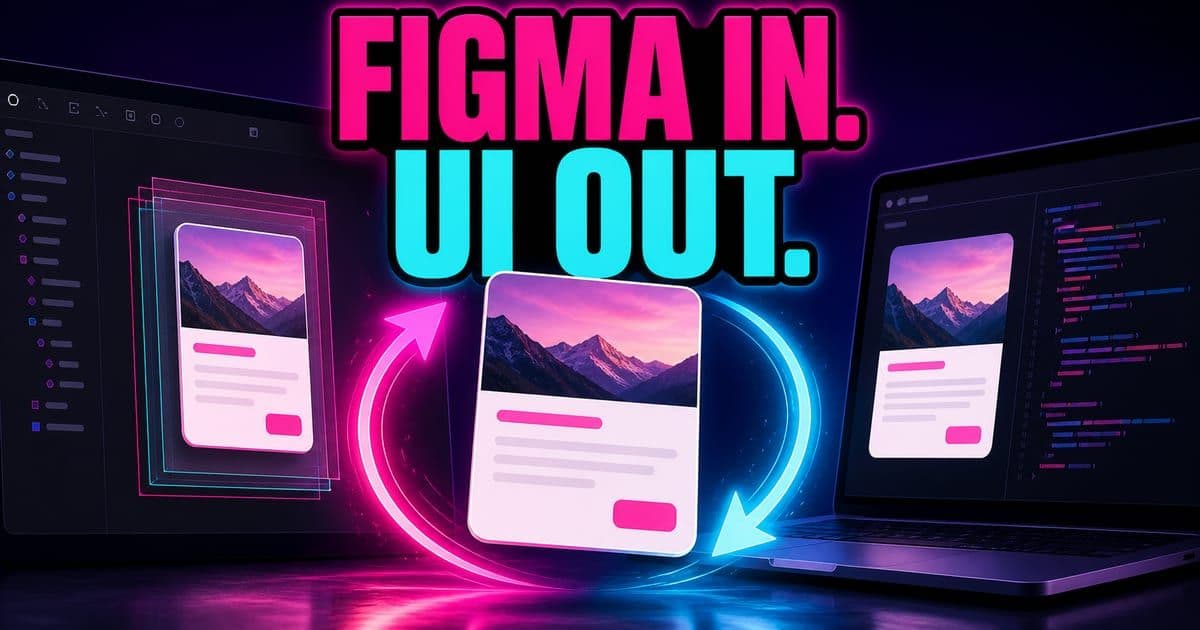
The Cursor + Figma round-trip works in two directions. Install the Figma plugin, paste a Figma file link, and the Figma MCP reads its tokens, type and variables into your live code. Build with design mode and @browser, then select a component and publish it back to Figma, where it lands as real, layered design ready for your team.
On this page
- What is the Cursor + Figma round-trip?
- What is the Figma plugin in Cursor's marketplace?
- How do you read a Figma design system into a prototype?
- How do you stop Cursor from drifting off the design system?
- How do you build and edit a prototype against the design system?
- Can the agent test the prototype in the browser?
- How do you publish a component back to Figma?
- How does handoff work once a component is back in Figma?
- How do designers version prototypes without Git commands?
What is the Cursor + Figma round-trip?
It is a two-way loop between Figma and Cursor. Inbound, you copy a Figma file link into a prompt and Cursor's Figma MCPModel Context Protocol. A standard that lets an AI agent pull in context from outside the repo, like Jira tickets or internal docs. Press Enter for the full definition. reads the design system (tokens, typography, colors, variable definitions) and applies it to the code you are building. Outbound, you select a component you built in Cursor and publish it back to Figma as proper, layered design. Figma stays the source of truth; Cursor becomes the fast place to prototype against it.
I'm able to get context from Figma into Cursor, and then I'm able to get anything that I prototype or I build in Cursor back to Figma. And so, it's this beautiful dance.
Interactive diagram. Step through it with the Next and Previous controls below, or Tab to a region to read its detail.
Inbound: a Figma link feeds tokens and type into live code. Outbound: a built component publishes back as layered Figma design.
This is covered hands-on in Cursor First Hour — 4 short Units, free to read.
Rather do it than read about it? Run 11 interactive Cursor walkthroughs in a simulated editor. Free, no account needed.
What is the Figma plugin in Cursor's marketplace?
It is a first-party pluginA Cursor marketplace package that bundles MCP servers and skills (sometimes sub-agents and hooks); one click installs all of it into your Cursor instance. Press Enter for the full definition. published by the Figma team, not a community MCPModel Context Protocol. A standard that lets an AI agent pull in context from outside the repo, like Jira tickets or internal docs. Press Enter for the full definition.. The Figma team approached Cursor and shipped a set of skills so that people using Figma inside Cursor get the best possible experience. You install it from the Cursor marketplace, and it gives you the MCP that reads your Figma files plus skills for working with a design system.
The cleanest mental model from the field: a Cursor pluginA Cursor marketplace package that bundles MCP servers and skills (sometimes sub-agents and hooks); one click installs all of it into your Cursor instance. Press Enter for the full definition. is essentially MCPs and skills packaged together and published on the platform. Some plugins also bundle sub-agents and hooks, but for the most part it is MCPs plus skills. The Figma plugin is exactly that: the MCPModel Context Protocol. A standard that lets an AI agent pull in context from outside the repo, like Jira tickets or internal docs. Press Enter for the full definition. that reads your files, and skills built around your design system.
Three of those skills are worth knowing by name. The pluginA Cursor marketplace package that bundles MCP servers and skills (sometimes sub-agents and hooks); one click installs all of it into your Cursor instance. Press Enter for the full definition. can generate documentation for your design system, generate a library from it, and create design-system rules based on what you already have. So the same install that reads your Figma files can also turn them into written guidelines.
How do you read a Figma design system into a prototype?
Paste the Figma file link into your prompt and tell Cursor what to do with it. In the workshop the prompt was roughly: use the design system at this link to inform the design of my dashboard, make any relevant color and typography changes. The Figma MCPModel Context Protocol. A standard that lets an AI agent pull in context from outside the repo, like Jira tickets or internal docs. Press Enter for the full definition. then reads the tokens, typography, colors and variable definitions, takes screenshots of the file, and applies all of that to your live code.
- 1Copy the Figma file link: open your design system in Figma and copy the file URL.
- 2Paste it into the prompt with intent: ask Cursor to use the design system at that link and make the color and typography changes it implies.
- 3Let the Figma MCPModel Context Protocol. A standard that lets an AI agent pull in context from outside the repo, like Jira tickets or internal docs. Press Enter for the full definition. read the system: Cursor reads tokens, type, colors and variables, and takes screenshots of the file for visual context.
- 4Review the applied result in the browser: run the app with @browserA prompt invocation that runs your built app in a browser pane inside Cursor; the agent can then take control of it to click, scroll and test the UI itself. Press Enter for the full definition. and check the rendered output against the source design.
Cursor has web access, so a design source can also be a live site or a brand-guidelines page. Paste a URL and Cursor navigates to it, reads its visual structure and typography, and applies those tokens to your prototype. You can also drag in a brand-guidelines PDF. Figma is the most detailed source because the MCPModel Context Protocol. A standard that lets an AI agent pull in context from outside the repo, like Jira tickets or internal docs. Press Enter for the full definition. reads structured variables, but it is not the only one.
How do you stop Cursor from drifting off the design system?
Two things keep output faithful: a stronger model, and persistent context. When the result drifts from the Figma file (wrong spacing, invented icons), the field engineer's answer is to move up to a more capable model. More powerful models adhere better to an exact spec, so reach for Composer 2Cursor's in-house agentic coding model: frontier-level coding quality at high speed and low cost, built as a software-engineering specialist rather than a general-purpose model. Press Enter for the full definition. / 2.5 for fast iteration or GPT-5.x when fidelity to the file matters most.
The durable fix is a skill. Skills are persistent Markdown files that shape how Cursor behaves, and they can reference other files. Cursor supports a design.md file, but the guidance is to wrap it in a skill so it is actually visible and used. A design skill can say: every time you make a change, check the Figma design system referenced here and adhere to it; and after any design change, open the browser and test it yourself.
When Cursor remakes your icons, kerning or padding instead of using yours, it is missing context. Give it the icons, spacing and type as a skill or a linked Figma file so it adheres to your system rather than hallucinating its own. The fix for drift is almost always more explicit context, not more prompting.
How do you build and edit a prototype against the design system?
Build in the Agents window with the app running in the Cursor browser. Type @browserA prompt invocation that runs your built app in a browser pane inside Cursor; the agent can then take control of it to click, scroll and test the UI itself. Press Enter for the full definition. in a prompt to run your built app in a pane inside the window. From there, design mode lets you edit by clicking the rendered UI instead of hunting through CSS.
Turn on design mode, click any div in the running app, and that element is handed to the agent as context along with a screenshot. You describe the change in plain language (make this font three times bigger, use muted chart colors), and Cursor edits the code and re-renders live. You can select several elements at once with ⌘L and batch multiple changes into one prompt; Cursor identifies each distinct component and edits them. It is fast prototyping without finding the div and hand-editing the CSS.
- Move
- @browserA prompt invocation that runs your built app in a browser pane inside Cursor; the agent can then take control of it to click, scroll and test the UI itself. Press Enter for the full definition. in a prompt
- What it does
- Runs your built app in a pane inside the Agents window
- Move
- Design mode + click a div
- What it does
- Hands that element plus a screenshot to the agent as context
- Move
- ⌘L on an element
- What it does
- Adds it to chat so you can describe a change
- Move
- Multi-select divs
- What it does
- Batch several changes in one prompt; Cursor edits each component
| Move | What it does |
|---|---|
| @browserA prompt invocation that runs your built app in a browser pane inside Cursor; the agent can then take control of it to click, scroll and test the UI itself. Press Enter for the full definition. in a prompt | Runs your built app in a pane inside the Agents window |
| Design mode + click a div | Hands that element plus a screenshot to the agent as context |
| ⌘L on an element | Adds it to chat so you can describe a change |
| Multi-select divs | Batch several changes in one prompt; Cursor edits each component |
The in-browser editing loop: see the rendered UI, click what you want to change, describe the change.
Cursor's in-house ComposerCursor's own fast coding model, tuned for the editor and priced well below frontier models; the recommended day-to-day model for executing a plan. Press Enter for the full definition. models (Composer 2Cursor's in-house agentic coding model: frontier-level coding quality at high speed and low cost, built as a software-engineering specialist rather than a general-purpose model. Press Enter for the full definition. / 2.5, with a fast variant) are trained on reading and writing code, which makes them quick at UI iteration and diffs. Use them for execution, not planning. Cursor's own designers also reach for Gemini and GPT-5.x on design work, and Auto modeCursor's automatic model router with Cost, Balance and Intelligence options that trade price against model capability. Press Enter for the full definition. will route per task. The rule of thumb: Composer for speed and execution, a more capable model for planning or strict spec fidelity.
Can the agent test the prototype in the browser?
Yes. The same browser pane the agent renders into, it can also drive. Ask it to take control and test an interaction, say make sure the category slider works, and Cursor will scroll, click and move the slider on its own to verify the behavior. In the field this in-browser agent QA is how a lot of people at Cursor check their own work.
Cursor cannot review a screen recording. The file is too large to parse. If you have a bug you would normally record, write reproduction steps instead and Cursor can reproduce the behavior in your app on its own.
How do you publish a component back to Figma?
Select the rendered component with design mode, add it to chat with ⌘L, and ask Cursor to publish it back to Figma. Give it the target Figma file link so it knows where to put it. If you do not, it will usually ask. Cursor recreates the component in Figma with the same colors, fonts, width and size, and splits it into proper layers. Components published back from Cursor show up in purple, and even fairly complex pieces come across with their layers intact.
Interactive diagram. Step through it with the Next and Previous controls below, or Tab to a region to read its detail.
Select, add to chat, publish with the target link. The component lands in Figma as layered, collaborator-ready design.
Why bother pushing it back? Because a Figma file is shareable and easy for the team to collaborate on. You can prototype freely in Cursor, then hand a real Figma artifact to colleagues for feedback. They see exactly which colors and fonts you used, and they can build on it.
How does handoff work once a component is back in Figma?
Figma is the source of truth, and the round-trip is what keeps handoff lossless. At Cursor, designers keep brand colors and typography in Figma, prototype freely in Cursor using those design systems as guidelines, then publish anything that needs collaboration back to Figma. Once it is in Figma, engineers pick it up and treat the Figma file as the spec. The shared plan or PRDProduct Requirements Document. The spec describing what to build, for whom and why, before implementation starts. Increasingly the artifact you hand an AI agent as the source of truth for a feature. Press Enter for the full definition. is where designers and PMs align before any of this, and a plan written in Cursor can serve as that paper trail.
There is no built-in way yet to send a live Cursor-built prototype to a client who does not use Cursor. The honest workarounds today: deploy it to a host like Vercel or GitHub Pages and share the link, or publish the component back to Figma and let the Figma file be the shareable artifact. The field engineer flags this openly, with better sharing 'coming soon.'
How do designers version prototypes without Git commands?
Ask in plain English. Git is the recommendation for versioning prototypes, and you do not need to learn any commands. Cursor runs them for you. Say save this version of my codebase, or push what I have to a branch so I can get back to it later. For designers used to Figma's native version history, this answers the recurring worry about versioning work that now lives partly in code.
Frequently asked questions
Who publishes the Figma plugin for Cursor?
The Figma team. They approached Cursor and published a first-party plugin: the MCP that reads your Figma files plus skills for working with a design system, including generating documentation, a library and design-system rules. You install it from the Cursor marketplace.
What does the Figma MCP actually read from a file?
When you paste a Figma file link, the Figma MCP reads the design system's tokens, typography, colors and variable definitions, and takes screenshots of the file for visual context. It then applies that to the live code you are building.
How do I publish a component from Cursor back to Figma?
Use design mode to select the rendered component, add it to chat with ⌘L, and ask Cursor to publish it back to Figma. Pass the target Figma file link so it knows where to put it. Cursor recreates the component with the same colors, fonts and layers; published-back layers show in purple.
Which model is best for design work in Cursor?
It depends on the task. Cursor's in-house Composer models are fast at UI iteration and execution but are not planners. Cursor's own designers favor Gemini and GPT-5.x for design, and stronger models adhere better to an exact Figma spec. Auto mode will route per task if you would rather not choose.
Why does Cursor sometimes drift from my Figma design system?
Usually it is missing context. Move up to a more capable model for spec fidelity, and give Cursor your icons, spacing and type as a skill or a linked Figma file so it adheres to your system instead of inventing its own. A design skill that references the Figma file and tests changes in the browser keeps output faithful.
Can I share a Cursor prototype with someone who doesn't use Cursor?
Not directly yet. Deploy the prototype to a host like Vercel or GitHub Pages and share the link, or publish the component back to Figma and share the Figma file. Better native sharing was flagged as coming soon at the time of the workshop.
Sources & last verified
Cursor ships frequently. Last updated June 25, 2026.