Guide
Generate Integration Tests With Cursor's Browser
Cursor's integrated browser runs Playwright under the hood, so the agent can navigate, click, filter and screenshot a real flow while capturing each action's metadata. Then you follow up with one prompt and it writes an integration test from that recorded history. Pair it with a test-coverage skill and root-cause debug mode for a full QA loop.
On this page
- What is Cursor's integrated browser?
- How do I get the agent to drive a browser flow?
- How does it turn that flow into an integration test?
- Why shouldn't I trust a test I didn't see fail?
- How do I stop Cursor writing tests that fail silently?
- How does debug mode pair with browser testing?
- Can I report coverage and limits the same way?
What is Cursor's integrated browser?
It is an in-IDE browser the agent can drive, and it has Playwright under the hood. That means the agent does real browser actions for you: navigate to a page, click a button, apply a filter, scroll, take a screenshot. Each action's metadata is captured through the Playwright integration, so you end up with a recorded history of exactly what happened.
While it runs, a banner reads "agent is using this browser" on the right and a step log streams on the left. You watch the workflow happen instead of guessing at it. If you need a paper trail, ask the agent to write each accessed page element out to a text file as it goes.
You do not wire Playwright up yourself for this. The integrated browserCursor's built-in browser, driven by Playwright under the hood, so the agent can navigate, click, screenshot and capture each action's metadata while you watch. Press Enter for the full definition. is the runtime; the agent issues the browser actions and the integration records the metadata. That recorded flow is what a generated test is built from later. As the presenter put it: "our integrated browser actually has Playwright under the hood."
This is covered hands-on in MCP, Plugins and Integrations — 6 short Units, free to read.
Rather do it than read about it? Run 11 interactive Cursor walkthroughs in a simulated editor. Free, no account needed.
How do I get the agent to drive a browser flow?
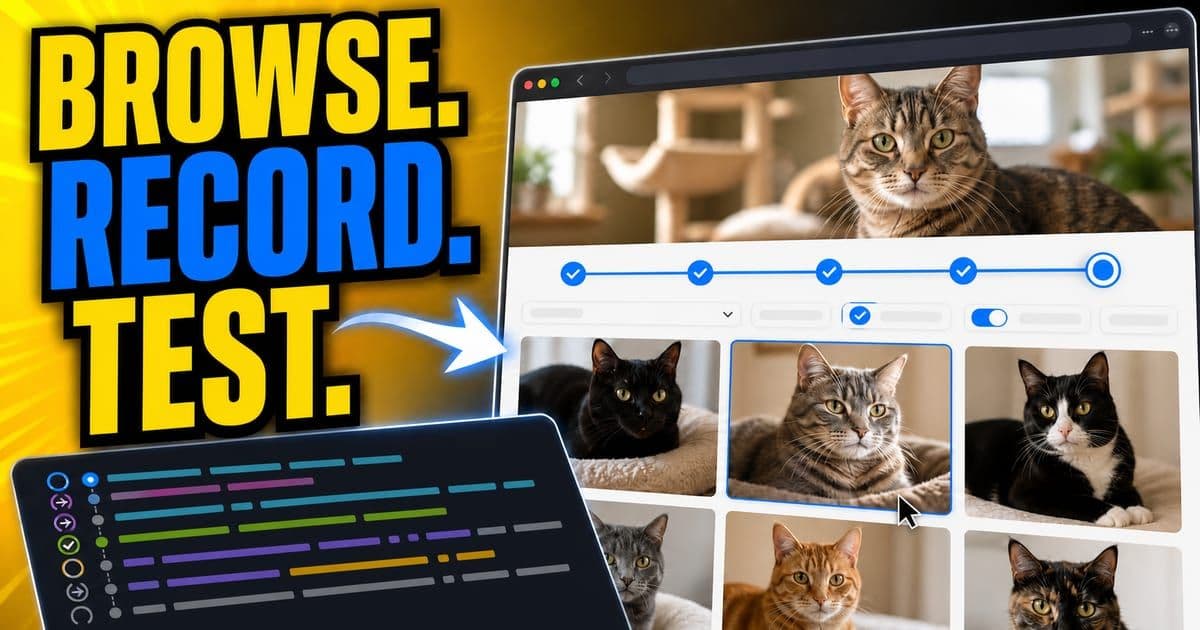
Describe the flow in one prompt, step by step, and tell it to show its work. The agent picks up the integrated-browser tool, performs each step, waits for loads, and captures a screenshot at each stage. In the workshop the target was a cat-adoption app, and the prompt was concrete:
Using the browser, navigate to the homepage. Click Browse Cats.
Filter by senior cats. Scroll until 30 cats are populated.
Take screenshots to show your work.
The clip below shows the same pattern applied to a keyboard accessibility check.
Tab to Apply, then confirm the focus ring and the name
0:41 · narratedRead this demo as text
- Ask the agent to actually tab to the Apply button on the live cart — not just glance at the screenshot. Focus order and focus visibility only show up when you drive the keyboard yourself.
- Switch to the Browser tab and watch the tab order: focus stops on the coupon field first, then lands on Apply with a visible blue ring. That's the order a real keyboard user would hit.
- The agent reads the accessible name straight off the focused control: Apply. Ring visible, name confirmed — that's a keyboard-safe control, not a guess from the layout.
Practice next: Practice this yourself in the hands-on module.
Simulated Cursor 3.12 (macOS, light) — beta educational reconstruction, not the real product.
Interactive diagram. Step through it with the Next and Previous controls below, or Tab to a region to read its detail.
The agent performs each action in the integrated browser, captures the metadata, then writes a test from that history.
Live pages misbehave. In the demo a bot-check ("I am not a robot") interrupted opening a report in the browser. Treat the integrated browserCursor's built-in browser, driven by Playwright under the hood, so the agent can navigate, click, screenshot and capture each action's metadata while you watch. Press Enter for the full definition. like any real browser session: things load slowly, captchas appear, and a 30-item scroll can overshoot to 60. Watch the step log rather than assuming it went perfectly.
How does it turn that flow into an integration test?
After the flow finishes, you send one follow-up: "based on this action, create an integration test in our suite." The agent reads back the history of clicked and navigated elements, pulls the metadata it captured, and writes a test file alongside your existing ones. Because Cursor already understands your repo's conventions, the new test lands next to your current integration tests in the same shape.
- 1Run the flow first, so the agent has a full action history to draw from.
- 2Ask for the test: "based on this action, create an integration test in our suite."
- 3Read the generated assertions. A test that asserts nothing is worse than no test.
- 4Wrap the whole loop as a reusable 'browser automation' skill so you can repeat it.
A Cursor skill is a tool the agent reaches for: a SKILL.md describing the workflow plus optional deterministic scripts. Build a 'browser automation' skill that takes a user prompt, drives the flow and writes the integration test. Then you trigger it explicitly with a slash command or just describe the task and let the agent pull the skill in.
Why shouldn't I trust a test I didn't see fail?
Because a generated test that passes on the first run may be asserting nothing at all. This was the sharpest question in the workshop, and the presenter agreed with it: never trust an automated test you didn't see fail. A test you only ever saw pass is no proof the code works. It might be wrapping its checks in a try/catch, or logging a failure instead of calling the framework's fail method.
Never trust an automated test that you didn't see fail. You write tests based on existing code. You have no proof the test assets actually show something.
The fix is engineering discipline, not a Cursor setting. Decide the golden state, the actual happy-path input and output, before you generate. Feed that state to the agent as the test's anchor or pin it in a plan, then read the generated assertions yourself. Cursor is an accelerant for your testing process. It does not replace the judgment of deciding what "correct" means.
Give the agent the known-good input and expected output as the test's anchor, or have it follow a detailed plan you reviewed. Then open the file and confirm the assertions would actually catch a regression. If you can, make the test fail on purpose once before you keep it.
How do I stop Cursor writing tests that fail silently?
Silent-fail tests show up in two shapes: a log call standing in for the framework's fail method, or validation wrapped in if / try-catch that swallows the assertion. Rules help, but the agent does not always follow them, especially deep in a long session. The workshop offered four practical remedies.
- Remedy
- Keep the rule lean and specific
- Why it works
- A short rule aimed at exactly this problem is more likely to be obeyed than a sprawling one.
- Remedy
- Keep the context window near-empty
- Why it works
- A long conversation can overwrite rule context as the window fills; a fresh, focused session keeps the rule in view.
- Remedy
- Add a validator skill or sub-agentA child agent a main agent spawns to work in parallel with its own context window, handing results back so the parent's context stays clean. Press Enter for the full definition.
- Why it works
- A dedicated worker runs the test, reads the output and reruns to confirm a real failure surfaces.
- Remedy
- Open a fresh agent for test-running
- Why it works
- For a complex suite, an agent that only runs tests avoids overload from unrelated subtasks.
| Remedy | Why it works |
|---|---|
| Keep the rule lean and specific | A short rule aimed at exactly this problem is more likely to be obeyed than a sprawling one. |
| Keep the context window near-empty | A long conversation can overwrite rule context as the window fills; a fresh, focused session keeps the rule in view. |
| Add a validator skill or sub-agentA child agent a main agent spawns to work in parallel with its own context window, handing results back so the parent's context stays clean. Press Enter for the full definition. | A dedicated worker runs the test, reads the output and reruns to confirm a real failure surfaces. |
| Open a fresh agent for test-running | For a complex suite, an agent that only runs tests avoids overload from unrelated subtasks. |
Lean rules plus an empty context plus a validator beat hoping the agent reads a long rule file.
If you have had a long chat, the rule context can get pushed out as the window fills. For a high-stakes test task, start a new agent and have it do only that. An empty context is the cheapest way to keep a rule in force.
How does debug mode pair with browser testing?
When a flow surfaces a bug, switch from standard agent mode to debug mode for root-cause analysis. Standard agent mode has a bias for action: it finds the suspected spot and changes code, which solves most bugs but can over-edit on subtle, cross-service or deeply-nested ones. Debug modeA mode that diagnoses a failure: it reproduces the issue, adds instrumentation and watches the logs, rather than reviewing a pull request. Press Enter for the full definition. replaces the guess with evidence before it touches anything.
Interactive widget. Tab through its controls; the result updates in the panel below as you change them.
Standard agent mode acts on a hypothesis; debug mode instruments, reproduces, confirms, then makes a surgical fix.
Mechanically, debug mode spins up a lightweight web server that only accepts requests, generates four to five hypotheses from your description, then instruments the code with log lines to test each one. The language and layer do not matter as long as the code can POST JSON to that server, so it works across backend, frontend and even compiled executables. It asks you to reproduce the bug, reads the execution-path logs, confirms or rejects each hypothesis, makes a fix touching only the broken lines, asks you to verify, then removes every log line it added.
During a debug run the main agent may launch a sub-agentA child agent a main agent spawns to work in parallel with its own context window, handing results back so the parent's context stays clean. Press Enter for the full definition.: a parallel worker with its own context window that takes a bucketed task and returns the result. The same trick parallelizes QA generally, for example running a coverage report in one sub-agent while another documents issues. If a job is parallelizable, a sub-agent is a good fit.
Can I report coverage and limits the same way?
Yes. Package coverage as a skill, the same shape as the browser-automation one. The workshop's test-coverage skill ran a coverage.sh (a pytest-coverage command) and formatted the result, including an HTML report. You trigger it explicitly with a slash command and a parameter, or just ask "can you check my backend test coverage?" and let the agent discover the skill from your prompt.
From there you can chain the output outward. In the demo the agent pushed the coverage report into Confluence through the Atlassian MCPModel Context Protocol. A standard that lets an AI agent pull in context from outside the repo, like Jira tickets or internal docs. Press Enter for the full definition., so the team could turn it into tickets. Be honest about the limits here. The Atlassian MCP can be flaky in practice. And some checks should stay human: deciding the golden state, signing off on what a test proves, and judging whether a passing suite actually protects the behavior you care about.
The integrated browserCursor's built-in browser, driven by Playwright under the hood, so the agent can navigate, click, screenshot and capture each action's metadata while you watch. Press Enter for the full definition. and these agent modes live in the Cursor IDE. The Cursor CLICursor's command line: the full agent, all modes and models, in the terminal and pipeable into scripts and CI. Press Enter for the full definition. is terminal-native and headless, and the agent can run in JetBrains IDEs through ACPAgent Client Protocol. An open standard that lets any IDE host any coding agent; Cursor uses it to run inside JetBrains/IntelliJ and Android Studio. Press Enter for the full definition., but a visual integrated-browser session is an IDE feature. Check Cursor's docs for the current surface coverage before you assume parity across every editor.
Frequently asked questions
Does Cursor's integrated browser really run Playwright?
Yes. The integrated browser has Playwright under the hood, so the agent can perform real browser actions (navigate, click, filter, scroll, screenshot) and capture each action's metadata. That recorded history is what an integration test gets generated from.
How do I turn a browser flow into an integration test?
Drive the flow first with one prompt, then follow up with "based on this action, create an integration test in our suite." The agent reads its captured action history and writes the test next to your existing ones. Then read the generated assertions before keeping it.
Why shouldn't I trust a generated test that passes?
A test that only ever passed may assert nothing, or swallow failures in a try/catch or a log call. Never trust a test you didn't see fail. Anchor the test on a known golden state and inspect the assertions yourself; making it fail once on purpose is the surest check.
How do I stop Cursor generating silently-failing tests?
Keep the rule lean and specific, keep the context window near-empty (long sessions push rules out), add a validator skill or sub-agent that runs the test and confirms a real failure surfaces, and for complex suites open a fresh agent that only runs tests.
When should I switch to debug mode instead of agent mode?
Use debug mode for subtle, cross-service or deeply-nested bugs where standard agent mode's bias for action would over-edit. Debug mode generates hypotheses, instruments code with log lines, has you reproduce the bug, confirms the cause from real logs, makes a surgical fix, then removes the logs.
Can I reuse the browser-testing workflow?
Yes. Wrap it as a 'browser automation' skill: a SKILL.md describing the workflow plus optional deterministic scripts. The skill takes a prompt, drives the flow and emits a test, so you can trigger it by slash command or let the agent pull it in from your description.
Sources & last verified
Cursor ships frequently. Last updated June 25, 2026.