Guide
How to Orchestrate Coding Agents
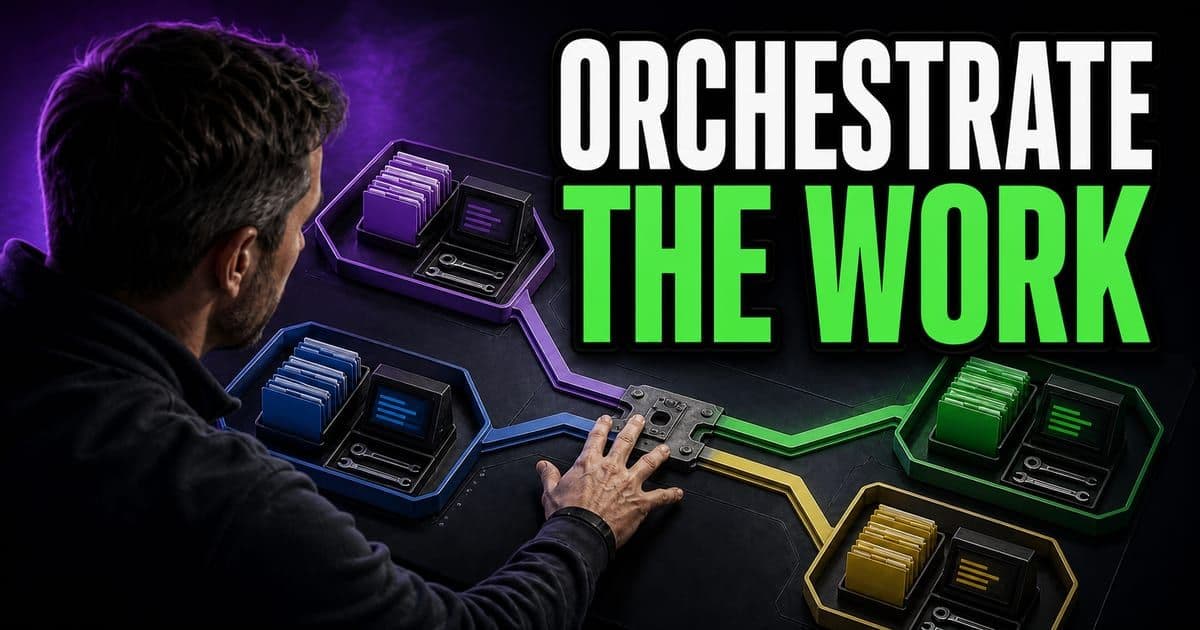
To orchestrate coding agents, split the work into small jobs, give each job the right files and tools, require a plan before edits, and review the final diff against tests. Launching agents is easy, and the hard part is making their work safe to merge.
On this page
- What does a reviewable agent task look like?
- How should a team run each agent task?
- What should you keep after the run?
- How do I fan work out across sub-agents and a plan?
- How do you run a security review across sub-agents?
- Should the plan come before the fan-out or after it?
- Can I save money by putting a cheaper model on the orchestrator?
- Do I keep a prompt-and-diff trail for every agent in the run?
What does a reviewable agent task look like?
Give the agent one named task, only the context it needs and a check you can rerun. A task shaped this way produces a diff small enough to review and a result you can repeat.
- Move
- Start with a bounded task
- Use this when
- You have a named owner, target files and a clear done state
- Proof to save
- Issue, files, checks and owner are named
- Move
- Give the agent context
- Use this when
- The repo has patterns the agent must follow
- Proof to save
- Prompt cites files, errors and constraints
- Move
- Review the diff
- Use this when
- The task changes production code
- Proof to save
- Changed files, test output and risks are visible
| Move | Use this when | Proof to save |
|---|---|---|
| Start with a bounded task | You have a named owner, target files and a clear done state | Issue, files, checks and owner are named |
| Give the agent context | The repo has patterns the agent must follow | Prompt cites files, errors and constraints |
| Review the diff | The task changes production code | Changed files, test output and risks are visible |
Each move leaves proof that a reviewer can check later.
Each move fails in its own way. Without a boundary, the agent edits files you never meant to open, and the diff becomes hard to read. Thin context fails more quietly: the code compiles and the tests pass, but the change ignores patterns the rest of the repo follows. Without a check you can rerun, you are taking the agent's word that the work is done.
Asking for a plan before the agent writes code is the easiest step to skip. It means a short wait while nothing visible happens, and the price of skipping it shows up later, in review.
If the plan names files you didn't expect, you learn that before any code exists. If it names the right files, you have a list to check the diff against. Once four hundred lines of diff are on screen, changing the approach means throwing that work away.
Interactive widget. Tab through its controls; the result updates in the panel below as you change them.
Open each stage to see what a reviewer should be able to inspect.
This is covered hands-on in Agent Mode Foundations — 6 short Units, free to read.
Rather do it than read about it? Run 11 interactive Cursor walkthroughs in a simulated editor. Free, no account needed.
How should a team run each agent task?
The habit that matters most for a team is leaving a trail the next reviewer can follow. The steps below keep the prompt and its proof attached to the change.
- 1Pick one real backlog item with a clear owner and expected result.
- 2Add only the context the agent needs: files, failing output, constraints and done state.
- 3Ask for a plan before code when the task touches more than one file.
- 4Run checks that match the risk: unit test, typecheck, visual pass or review checklist.
- 5Capture the prompt, diff, result and reviewer note so the workflow can be repeated.
Match the effort to the change. A one-file fix needs a clear done state and a typecheck, and a plan adds little. A change across several files is where a plan pays for itself, and where the check should include tests and a reviewer who knows that code.
What should you keep after the run?
Keep whatever lets someone rerun the work or pick it up later. A finished task is the merged code plus a short trail that shows how it got there.
- The prompt or plan that shaped the work.
- The files changed and the reason each file changed.
- The command, screenshot or review note that proved the result.
- The rule, checklist or template you would reuse next time.
The last item pays off over time. A rule or template saved from one good run means the next run starts from what already worked, not from a blank prompt.
How do I fan work out across sub-agents and a plan?
Sub-agents are agents with a clear persona that the main agent hands work to. Each works in its own context window, several can run in parallel, and each can use a cheaper model when the job doesn't need a frontier one.
Create one with the /create-subagent skill, or ask the agent to write the file. Either way, you get a Markdown file in .cursor/agents/ whose frontmatter sets the name, description and model. The presenter's file ran to about 150 lines.
A chart-builder doesn't need a frontier reasoning model. Point it at one of Cursor's in-house ComposerCursor's own fast coding model, tuned for the editor and priced well below frontier models; the recommended day-to-day model for executing a plan. Press Enter for the full definition. models or a cheaper GPT-5.x and save the expensive model for planning.
You don't want all your sub agents running a frontier model and racking up a huge bill. For a chart builder I only really need something cheaper.
The presenter said sub-agents need a reasoning-capable model and that not every model can spawn them. Cursor's subagent docs list no such requirement.
When you launch several in parallel, such as three chart-builders side by side, each one appears in the sub-agentA child agent a main agent spawns to work in parallel with its own context window, handing results back so the parent's context stays clean. Press Enter for the full definition. UI so you can watch it.
Prune the to-do list before you let it run
Plan modeA mode that makes no edits: it researches the codebase and produces an editable plan you review before any code changes. Press Enter for the full definition. asks clarifying questions, researches the codebase and returns a plan you can edit. In the webinar, the presenter planned on a high-reasoning model, and the plan listed what the agent learned, a proposed design, the files it would add and a to-do list. That to-do list is your control surface, so read it and cut the extras before you execute.
One presenter removed the 'build and verify' and 'dual check' to-dos because verification was going to be manual, then told it to just code up the bot.
You always want to review the to-dos to see if it has too many extra steps.
How do you run a security review across sub-agents?
Have one agent spawn sub-agents grouped by vulnerability class: infra, AppSec, prompt injection and XSS. Each sub-agentA child agent a main agent spawns to work in parallel with its own context window, handing results back so the parent's context stays clean. Press Enter for the full definition. produces a table of findings. Then, for every finding, require the full attack chain with code snippets and a simulated proof of concept. That proof step is where sub-agents earn their keep, because each finding has to survive an attempt to demonstrate it.
Priming matters: tell it you're hunting cross-site scripting and it finds XSS; a bare 'find vulnerabilities' may miss what you care about. For false negatives on things you care about, run parallel runs.
make a table of the findings and then for each one you have to go and show the full attack chain with code snippets and you have to write like a simulated proof of concept
Should the plan come before the fan-out or after it?
Plan first. The to-do list that plan mode returns shows which parts of the work are independent before any code exists, and fanning out only works on independent parts.
If you start the sub-agents first, each one arrives at its own design for the same feature. None of them is wrong on its own. The trouble shows up at review: three plausible approaches, three diffs built on different assumptions about the same code, and nothing shared to check them against. Reconciling them costs more than running the jobs one after another would have.
The order also decides where pruning happens. Cutting a to-do while it is still a line in the plan costs a keystroke. Once sub-agents have built against it, cutting it means throwing work away, and keeping the work means shipping scope that nobody planned.
Can I save money by putting a cheaper model on the orchestrator?
Not reliably. Because of the presenter's warning above, the webinar's orchestrator stayed on a reasoning model. Cursor's docs only say that the model picker, Auto included, sets the parent's model, and that each custom sub-agentA child agent a main agent spawns to work in parallel with its own context window, handing results back so the parent's context stays clean. Press Enter for the full definition. either inherits it or names its own.
Either way, the lever that saves money is on the sub-agents. Each request bills at the list price of the model that ran it, and Cursor's docs warn that five sub-agents in parallel use roughly five times the tokens of a single agent. The orchestrator also holds the plan and everything the sub-agents report back, so its context keeps growing. Ask each sub-agentA child agent a main agent spawns to work in parallel with its own context window, handing results back so the parent's context stays clean. Press Enter for the full definition. for a table of findings and its proof instead of a transcript of how it got there.
Do I keep a prompt-and-diff trail for every agent in the run?
No. Keeping the prompt, diff, result and reviewer note works for one agent, but it does not survive a fan-out. Six runs leave six prompts, six diffs, six test outputs and six reviewer notes. That is too much to read later, even for the person who made it.
Keep the plan instead, once, plus whatever proof each sub-agentA child agent a main agent spawns to work in parallel with its own context window, handing results back so the parent's context stays clean. Press Enter for the full definition. was asked to produce. The plan is the only record of why the work was split the way it was, and someone coming back in a month cannot rebuild that from the repository. The individual prompts matter less, because each one came from a line in that plan.
Frequently asked questions
Who is this guide for?
Teams that run more than one coding agent or agent surface at a time.
What should I do next?
Pick one real task from your backlog and run it through the steps on this page. Keep the prompt, the diff and the check that proved the result.
Can I use a cheaper model for sub-agents?
Yes, for the sub-agents themselves. Each custom sub-agent can name its own model in its frontmatter or inherit the parent's, so a chart-builder can run on a cheaper model. Each request bills at the list price of the model that ran it. Keep the orchestrator on a capable model, because it holds the plan and everything the sub-agents report back.
Should I plan before I fan work out to sub-agents?
Yes. The to-do list from plan mode shows which parts of the work are independent, and only independent parts fan out cleanly. Prune extra to-dos while they are still lines in the plan, before any sub-agent builds against them.
Sources & last verified
- Cursor agent best practices
- Cursor Learn: working with agents
- Cursor Learn: context
- Cursor docs: prompting agents
- Cursor docs: Subagents
- Cursor docs: Skills
- Cursor docs: Plan Mode
Cursor ships frequently. Facts verified against primary sources on October 28, 2026.