Agents
Self-Hosted Cloud Agent Team Pools: Shared Worker Capacity
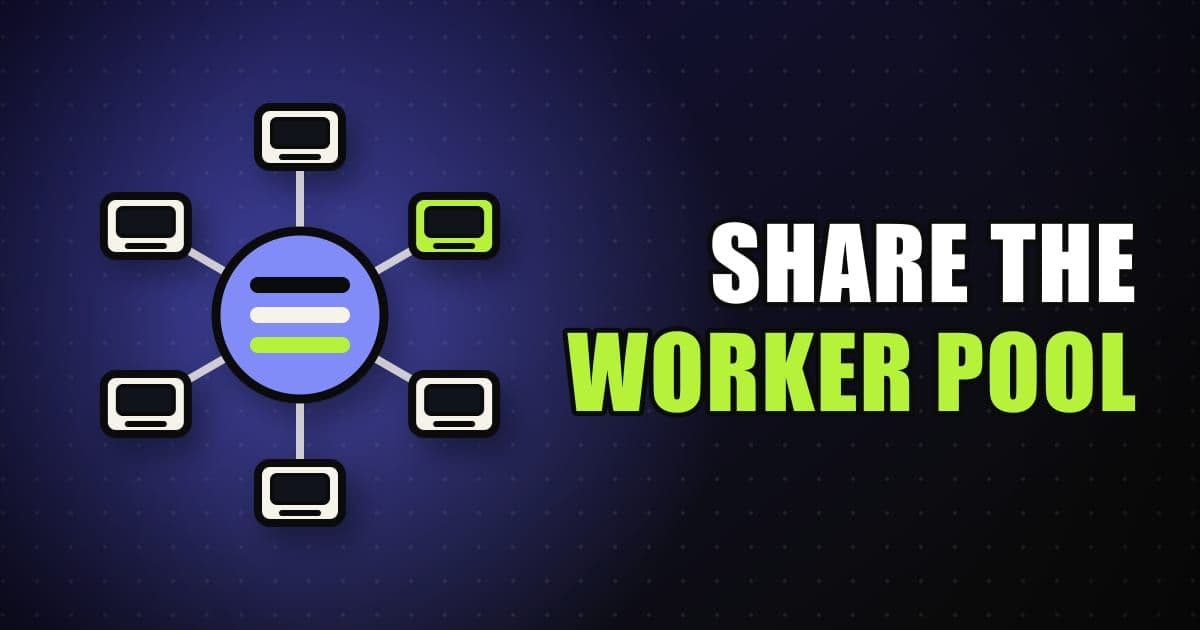
A Team Pool is a named routing target that connects Cloud Agent requests with self-hosted workers your admins run. Requests wait in the pool until an available worker claims one, and each session gets one worker at a time. Pools need an Enterprise plan and a service account API key, and the agent loop itself still runs in Cursor's cloud.
On this page
What is a team pool and when does a team need one?
A pool is a named routing target between Cloud Agent requests and Self-Hosted Machines workers. Requests wait in the pool until an available worker claims them, and teams create separate pools for different execution environments, such as one for work that needs GPUs and another for work that needs a Mac. Pools are for Enterprise teams that want Cloud AgentsAgents that run in a Cursor-managed virtual machine, check out the repo, do the work and open a pull request, then shut down, with no load on your laptop. Press Enter for the full definition. to run inside company-managed infrastructure, with admins operating the workers instead of each developer starting one on a personal machine.
Pools are an infrastructure-ownership choice, and the agent loop, inference and planning included, stays in Cursor's cloud. The worker runs the terminal commands, file edits, browser actions and internal-service access in your infrastructure, over a long-lived outbound HTTPS connection that it opens itself. No inbound ports, public IPs or VPN tunnels are needed. The docs list the situations where that trade makes sense.
- Centrally managed workers for a team or organization
- Service account authentication instead of individual browser logins
- Kubernetes, autoscaling, or centrally managed capacity
- Labels that route work to the right environment, team, repo, or hardware profile
- Company-owned hosts for tool execution, build outputs, worker logs, and monitoring
The docs are cautious about all of this. Cursor-managed Cloud AgentsAgents that run in a Cursor-managed virtual machine, check out the repo, do the work and open a pull request, then shut down, with no load on your laptop. Press Enter for the full definition. remain the recommended path for most teams, including teams that need private network access, and the docs point to managed environments with network controls, Tailscale or a similar client, or private connectivity before a worker fleet.
My Machines is the quicker personal setup, and it is a different arrangement: those workers belong to an individual, while pool workers belong to the organization and authenticate with a service account. Cursor supports up to 200 workers per user and 1000 per team, and asks larger company-wide deployments to contact sales.
This is covered hands-on in Agent Mode Foundations — 6 short Units, free to read.
Rather do it than read about it? Run 11 interactive Cursor walkthroughs in a simulated editor. Free, no account needed.
How do you start a pool worker?
Starting a worker takes four things: an Enterprise plan, self-hosted settings configured by a team admin in the Cloud AgentsAgents that run in a Cursor-managed virtual machine, check out the repo, do the work and open a pull request, then shut down, with no load on your laptop. Press Enter for the full definition. dashboard, a service account API key, and a machine with the agent CLI, git on PATH, a workspace directory and access to the build tools, registries, secrets and internal services your agents need. In the dashboard, Allow Self-Hosted Machines lets users opt in, and Require Self-Hosted Machines routes every Cloud Agent run to your workers. The git requirement is optional for any-repo workers whose own scripts handle source control.
curl https://cursor.com/install -fsS | bash
agent --version
Authentication is where pools differ from My Machines most visibly. A pool worker takes a service account API key, or a session token minted from that key for a single claim. User, personal, team and organization API keys cannot start pool workers, and personal or user keys belong with My Machines.
export CURSOR_API_KEY="your-service-account-api-key"
cd /path/to/repo
agent worker --pool my-pool --idle-release-timeout 600 start
--pool registers the worker for pool assignment. A name after it joins that named pool, and leaving the name off puts the worker in default. The idle release timeout sets how long a finished worker stays connected for follow-up messages. The default is 3600 seconds, and when the timeout fires the CLI exits with code 0 so a supervisor can recycle the machine.
Pools come in two repo configurations, and the choice changes how requests find a worker. A repo-backed pool ties the pool to one or more repositories. An any-repo pool leaves source control to you.
- Feature
- Request labels
- Repo-backed pool
repo=<owner/repo>, pluspool=<name>for a named pool- Any-repo pool
pool=<name>only, with norepo=label
- Feature
- Matching
- Repo-backed pool
- Workers serving that repository
- Any-repo pool
- The pool name alone
- Feature
- Dashboard
- Repo-backed pool
- Under the repository
- Any-repo pool
- Under Any repo
- Feature
- Source control
- Repo-backed pool
- The worker directory is a git checkout with a remote
- Any-repo pool
- Any existing directory passed to
--worker-dir; you or the agent manage cloning
| Feature | Repo-backed pool | Any-repo pool |
|---|---|---|
| Request labels | repo=<owner/repo>, plus pool=<name> for a named pool | pool=<name> only, with no repo= label |
| Matching | Workers serving that repository | The pool name alone |
| Dashboard | Under the repository | Under Any repo |
| Source control | The worker directory is a git checkout with a remote | Any existing directory passed to --worker-dir; you or the agent manage cloning |
Both kinds register with the same `agent worker --pool` command.
Any-repo workers can clone for you, though only if you ask. --clone-git-repos checks out the claimed agent's repositories on claim, and it implies --mint-github-token, so clones use a short-lived GitHub token that a team admin has to enable for Team Pool workers. It works only on any-repo workers in a named pool other than default, and the CLI exits with an error anywhere else. A clean checkout of the same repo already in the worker directory is reused. When the worker cannot update a checkout safely, for instance with uncommitted changes to tracked files or a rebase in progress, it clones into a new folder instead. Clones made for a claim are deleted when the claim ends, so to avoid re-cloning a large repository on every claim, clone it into the worker directory before you start the worker.
If one worker should serve several checkouts, pass --worker-dir once per root, up to 20 paths. The first root is the primary repository for assignment identity and dashboard display, which is why the dashboard can look as if only the first repo registered. Verbose startup logs are the source of truth, so check workspacePaths and x-repository-urls there. Extra roots do not add repositories to a request.
--clone-git-repos, --mint-github-token and --sync-dashboard-secrets assume one worker per container or OS user. Running several credential-enabled workers under the same user is unsupported.
How do requests reach the right pool?
Cursor matches requests to workers by label. A request for a repository carries repo=<owner/repo>, a request for a named pool carries pool=<name>, and a request to an any-repo pool omits the repo label. You can add your own labels to a worker with --label key=value for quick tests, or with a JSON or TOML file through --labels-file (or the CURSOR_WORKER_LABELS_FILE variable) when labels are managed as config. The repo and pool labels are reserved, so do not set them by hand.
Each place you start an agent from has its own way to name a pool. The table lists what each one reads.
- Surface
- Dashboard
- How to target a pool
- Pick a pool in the worker selector when starting a session or editing an automation
- Surface
- Slack
- How to target a pool
- Mention
@Cursorwithself_hosted=true,sh=1orpool=<name>. Admins set a team default with@Cursor pool set <name>, and any member sets a channel default with@Cursor pool set <name> channel
- Surface
- GitHub
- How to target a pool
- Comment
@cursoragentwithself_hosted=true,sh=1orpool=<name>on an issue, pull request or review comment
- Surface
- Linear
- How to target a pool
- Mention
@Cursorwith the same options in a comment, or use issue or project labels where the parent label ispooland the child label is the pool name
| Surface | How to target a pool |
|---|---|
| Dashboard | Pick a pool in the worker selector when starting a session or editing an automation |
| Slack | Mention @Cursor with self_hosted=true, sh=1 or pool=<name>. Admins set a team default with @Cursor pool set <name>, and any member sets a channel default with @Cursor pool set <name> channel |
| GitHub | Comment @cursoragent with self_hosted=true, sh=1 or pool=<name> on an issue, pull request or review comment |
| Linear | Mention @Cursor with the same options in a comment, or use issue or project labels where the parent label is pool and the child label is the pool name |
Explicit `pool=`, `worker=`, `machine=` or `self_hosted=false` in Slack override both default pools.
Options are written as key=value. self_hosted and sh accept true, t or 1 to opt in and false, f or 0 to opt out. Anything else, such as sh with no value, stays in your prompt as text.
Slack, GitHub and Linear all ignore these options inside a code block.
Policy decides what those options may do. With Allow Self-Hosted Machines off, Slack rejects the opt-in and replies in the thread, and Linear raises an agent activity error asking an admin to turn it on. GitHub lets only repo OWNER and COLLABORATOR users route runs to self-hosted workers, which protects public repos where outside contributors can comment. Other commenters run on managed infrastructure if they opt in, or are skipped when Require Self-Hosted Machines is on.
Require Self-Hosted Machines has specific failure paths. When a covered run names no pool or machine and no pool worker can take it, Cursor runs it on one of your own connected My Machines workers, and never on a teammate's. An agent that started on managed infrastructure before the setting was enabled cannot get a new managed machine afterward, so a follow-up that needs one fails and asks you to start a new agent on a self-hosted worker.
How does a pool scale and keep its workspaces?
Pools are durable. A pool stays registered and selectable after its last worker disconnects, so you can scale to zero and bring capacity back when requests arrive. Starting a worker with a new pool name creates the pool implicitly, and the Cloud AgentsAgents that run in a Cursor-managed virtual machine, check out the repo, do the work and open a pull request, then shut down, with no load on your laptop. Press Enter for the full definition. API can register one up front with POST /v0/private-workers/pools, including repoOwner, repoName and repoUrl for a repo-backed pool. GET /v0/private-workers/pools lists pools with connected and in-use worker counts, and DELETE soft-deletes a pool without affecting machines currently connected to it.
Something still has to start the workers. agent worker controller runs a --spawn hook that can fork a process, start a container or create a Kubernetes Pod, and it has two modes. The table sets them side by side.
- Mode
- Claim-then-spawn (default)
- What the controller does
- Lists pending requests, watches the pending-requests stream, claims each request and runs
--spawnonce per claim - Constraints
- Works with
--session-tokenand--identity-audience
- Mode
- Warm pool (
--warm-idle <count>) - What the controller does
- Keeps
countidle workers connected in each--poolby pre-spawning unclaimed workers, and never calls claim - Constraints
- Requires
--pooland cannot combine with--all-pools; run one warm controller per pool, because concurrent controllers can transiently over-spawn
| Mode | What the controller does | Constraints |
|---|---|---|
| Claim-then-spawn (default) | Lists pending requests, watches the pending-requests stream, claims each request and runs --spawn once per claim | Works with --session-token and --identity-audience |
Warm pool (--warm-idle <count>) | Keeps count idle workers connected in each --pool by pre-spawning unclaimed workers, and never calls claim | Requires --pool and cannot combine with --all-pools; run one warm controller per pool, because concurrent controllers can transiently over-spawn |
On Kubernetes, start from the anysphere/k8s-workers Helm sample. It runs the controller with --spawn in your cluster and creates one worker Pod per claimed request, or keeps warm idle Pods with --warm-idle, and no CRD is required. The older Cursor Kubernetes operator and WorkerDeployment chart are deprecated. Clusters that already run the operator keep working, but new deployments should use the template. Any VM, container or bare-metal machine that can install the CLI and reach Cursor over outbound HTTPS can also run a pool worker under systemd, Docker or your own process manager.
#!/usr/bin/env bash
set -euo pipefail
agent worker --pool "$CURSOR_POOL" --worker-id "$CURSOR_AGENT_WORKER_ID" start
By default, every machine the spawn hook starts holds the service account API key. With --session-token, the controller asks each claim for a session token and gives the hook that instead, so the key stays on the controller. A session token serves one claim, stops working when the claim is released or the key that minted it is deleted or expires, and carries a 7-day expiry as a backstop. Warm workers start before any claim exists, so --warm-idle controllers still hand the hook the API key.
--identity-audience goes a step further. The controller sends an audience and a fresh nonce with every claim, and the hook receives a signed token naming the agent and its owner, so it can confirm who the run is for before it creates anything. It needs agent CLI 2026.10.14-941492e or later and cannot be combined with --warm-idle.
Idle machines cost money, and hibernation is the docs' answer. Without it, a follow-up that arrives after the machine released lands on a fresh machine, which may spend its first minutes rebuilding the workspace. The pool's workerReadyTimeoutSeconds controls how long Cursor waits for a claimed machine to reconnect, and its default of 0 means follow-ups reacquire immediately. Set it above zero, shorten --idle-release-timeout, snapshot the machine when the worker exits or the agent reports IDLE, and restore it with the same CURSOR_AGENT_WORKER_ID when the controller sees a claimed_offline entry. If the snapshot is gone, release the claim and the request returns to the queue.
If the built-in controller does not fit, a custom one does three things: watch the request queue, claim a request, and start a worker for it. Treat the list as the source of truth and the event stream as hints. Cursors expire five minutes after the list that issued them and a stale one returns 410 Gone, so list again every five minutes with some jitter. When a controller claims a request but cannot start the worker, it should call the fail endpoint with a plain-text message of 500 characters or fewer, otherwise the agent waits for a worker that never connects until the wait times out.
What does a pool need on the network, and what can you monitor?
Workers need outbound HTTPS to three hosts: api2.cursor.sh and api2direct.cursor.sh for the agent session, downloads.cursor.com for CLI updates and the first-time Cursor Computer Use install on macOS, and cloud-agent-artifacts.s3.us-east-1.amazonaws.com for artifact uploads. If you use a proxy, set HTTPS_PROXY or https_proxy in the worker environment. The table shows what breaks when you block each one.
- If you block...
api2.cursor.shorapi2direct.cursor.sh- Effect
- The worker can't start or continue an agent session
- If you block...
downloads.cursor.com- Effect
- CLI updates and the first-time Computer Use install on macOS fail; a worker with both installed keeps running
- If you block...
cloud-agent-artifacts.s3.us-east-1.amazonaws.com- Effect
- Artifact uploads fail, so PR embeds, dashboard previews and notification attachments that depend on them are missing; the session and other tool calls keep working
- If you block...
- A host a specific tool or integration needs
- Effect
- Only that tool or integration fails; the agent continues
| If you block... | Effect |
|---|---|
api2.cursor.sh or api2direct.cursor.sh | The worker can't start or continue an agent session |
downloads.cursor.com | CLI updates and the first-time Computer Use install on macOS fail; a worker with both installed keeps running |
cloud-agent-artifacts.s3.us-east-1.amazonaws.com | Artifact uploads fail, so PR embeds, dashboard previews and notification attachments that depend on them are missing; the session and other tool calls keep working |
| A host a specific tool or integration needs | Only that tool or integration fails; the agent continues |
A wildcard rule such as *.s3.us-east-1.amazonaws.com covers the artifact host but also opens every other bucket in the region, so the docs prefer an exact-host rule when the firewall supports it. Blocking the artifact host stops screenshots and videos reaching pull requests and the dashboard while the agent keeps working.
On data flow, the docs name two things that leave your network: file chunks the model reads during inference, and artifacts (screenshots, videos and log references) uploaded to Cursor-managed storage. Repos, build caches and secrets stay on your machines. Privacy ModeCursor's setting that guarantees code data is not used for training by Cursor or its model providers, and that an admin can enforce org-wide; data-retention terms are a separate, contractual layer. Press Enter for the full definition. settings apply, and when Privacy Mode is enabled none of your code is used for training. Each agent session gets its own dedicated worker, and sessions are not shared across workers. Team admins see all connected workers, while team members see only the workers assigned to them.
MCPModel Context Protocol. A standard that lets an AI agent pull in context from outside the repo, like Jira tickets or internal docs. Press Enter for the full definition. servers route by transport. A command (stdio) server starts on the worker, so it can reach private networks, internal APIs and services behind your firewall. HTTP and SSE servers are handled from Cursor's backend, which manages OAuth and session caching. If an MCP server needs private-network endpoints, use stdio.
Hooks run on pool workers too. They load from .cursor/hooks.json in the workspace the worker serves, and on Enterprise the workers also run team and enterprise-managed hooks from the dashboard. Only command-based hooks run, and IDE-only hooks such as the Tab hooks and workspaceOpen do not. sessionStart and sessionEnd fire when a session claims the worker and when that claim is released, and Cursor-managed Cloud AgentsAgents that run in a Cursor-managed virtual machine, check out the repo, do the work and open a pull request, then shut down, with no load on your laptop. Press Enter for the full definition. skip them. Pool workers also take --on-session-start and --on-session-end to add one command each without editing the hooks file.
For monitoring, start the worker with --management-addr, for example :8080, and it serves /healthz, /readyz and /metrics. Two gauges: cursor_self_hosted_worker_connected is 1 while the outbound connection is active, and cursor_self_hosted_worker_session_active is 1 while a session is running on that worker. The counters cursor_self_hosted_worker_connect_retry_total and cursor_self_hosted_worker_session_ends_total, which carries a reason label, are where connection trouble shows up.
Frequently asked questions
Can multiple agents use one pool worker?
No. A pool worker serves one agent at a time, and each session gets its own dedicated worker. When requests wait for capacity, add workers or scale the pool.
Which API keys can start a pool worker?
Only a service account API key, or a session token minted from that key for a single claim. User, personal, team and organization API keys cannot start pool workers. Personal and user keys work with My Machines instead.
Do I need Kubernetes to run a Team Pool?
No. Kubernetes is one option, using the anysphere/k8s-workers template. Any VM, container or bare-metal machine that can install the Cursor CLI and reach Cursor over outbound HTTPS can run a pool worker under systemd, Docker or your own process manager.
Sources & last verified
- Cursor Docs: Self-Hosted Team Pools
- Cursor Docs: Self-Hosted Machines
- Cursor Docs: My Machines
- Cursor Docs: Choose where Cloud Agents run
- Cursor Docs: Service accounts
- Cursor Docs: Cloud Agents API endpoints
Cursor ships frequently. Facts verified against primary sources on October 17, 2026.