For Teams
Cursor Router: How Auto Picks a Model for Every Request
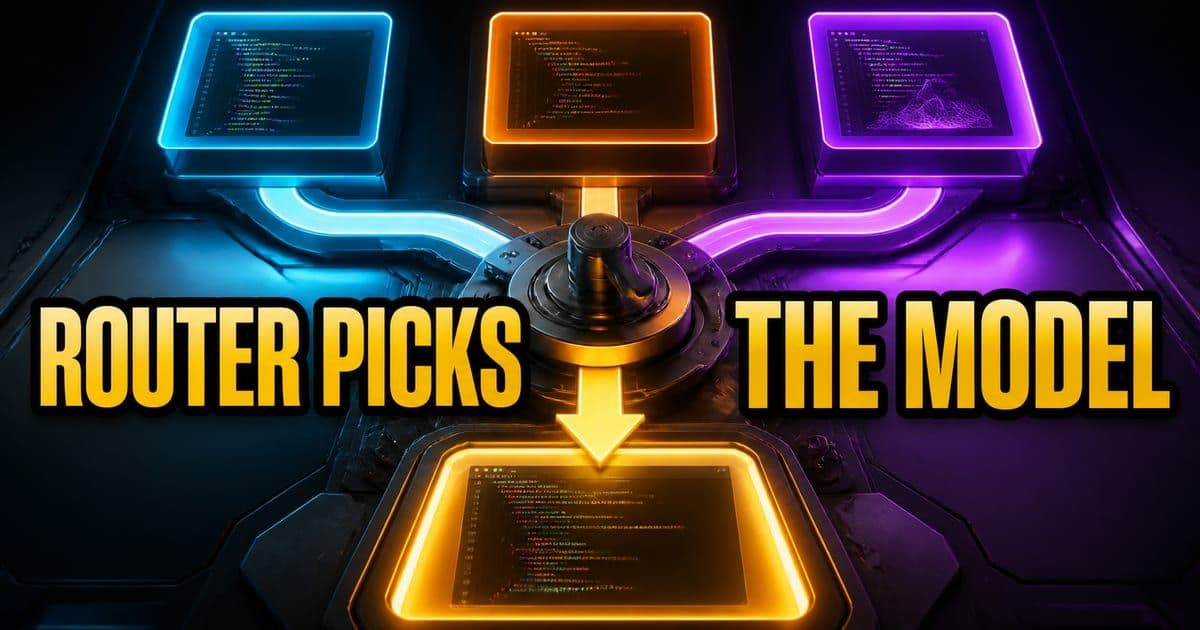
Cursor Router is the model routing system behind Auto, available on Teams and Enterprise plans. It runs a classifier on each agent request and sends it to the model that fits the task. You do not pick the model; you pick an optimization mode — Cost, Balance or Intelligence — and admins control which modes a team can select.
On this page
What is Cursor Router?
Cursor Router is the routing system that sits behind the Auto entry in the model picker. Cursor's framing is that not every request needs the most capable model available, so the router sends simple requests to fast, efficient models and complex work to the most capable ones. It shipped on 2026-07-22 and is currently only available on Teams and Enterprise plans.
The problem it targets is a specific spending pattern rather than a quality one. Cursor reports that roughly 60% of developers pick a single model as their daily driver, which means routine work gets completed at the price of the hardest work. The numbers below are the shape of the feature before any of the mode detail.
- What it is
- The model routing system behind Auto. A classifier runs on each agent request and routes it by task type and complexity.
- Who can use it
- Teams and Enterprise plans only. Enterprise teams must enable it manually — it is off by default.
- Where it runs
- Desktop, web, iOS, CLI and the SDK.
- What you control
- The optimization mode (Cost, Balance, Intelligence). Not the individual model.
- How it was trained
- A classifier trained on 600k+ live requests, then evaluated in an online A/B test across millions of live requests.
Per cursor.com/docs/cursor-router and the launch post cursor.com/blog/router, checked 2026-07-27.
This exact topic is a hands-on Lesson: Privacy and data governance — about 6 minutes, free to read.
Rather do it than read about it? Run 11 interactive Cursor walkthroughs in a simulated editor. Free, no account needed.
How does Cursor Router decide which model to use?
When you select Auto and choose Balance or Intelligence, the router classifies the request before any model runs, then picks the most cost-effective model that still produces comparable quality for that request. Cursor says the classifier looks at query, context, task complexity and domain, combined with what Cursor knows about each model's behaviour — so simple work goes to the most price-efficient models, UI updates go to the model with the best taste, and long-horizon problems go to the strongest reasoning models.
Two properties of the system matter more than the classifier itself. It is managed by Cursor, so you cannot hand-pick which model handles a request and the model pool changes as new models ship. And it is cache-aware: Cursor states the router is trained on a dataset where routing causes cache misses, and that its reported savings include the cost of those misses. That second point is why the published numbers are not the usual best-case routing arithmetic.
On August 6, 2026 Cursor published how the current system works, and the classifier turns out to be two decisions rather than one. First a complexity predictor Cursor calls Compass decides whether a turn is simple enough for a price-efficient model; Compass is trained to predict whether the user will be satisfied with the response, on the grounds that people rarely ask for corrections after simple tasks. Second, if the turn is more demanding, the router classifies it against a taxonomy of domains, tasks and modifiers learned from real developer traffic and picks the top-tier model most likely to do well on that kind of work. The post's own check on Compass: turns it rated most likely to succeed received a positive signal 96% of the time, against 71% for the turns it rated least likely.
The finding underneath that second step is the one I would keep. Cursor says no model dominates every kind of work: Grok offered strong value across broad, routine work such as Git commands and general database operations, Sol performed especially well on planning and codebase comprehension, and Opus on execution-heavy work including devops, database queries and performance optimization. That is also why the router's own threshold is a dial rather than a fact; raising it upgrades more turns to a top-tier model and, per the post, trades cost for more of the available quality gain.
On Enterprise plans the router respects your team's model access controls: block a model and the router routes to an allowed one instead. But Cursor is explicit that blocking too many models reduces routing quality and can disable the router entirely.
There is a hard dependency behind that. The router needs a capable, cost-efficient model to fall back on when it is not calling a top-tier model, so Cursor Grok 4.5 must be enabled for the router to work. If routing looks inert after enablement, check the model allow-list before filing a bug.
What do Cost, Balance and Intelligence actually change?
The three modes live under Optimize For in the model picker once Auto is selected. They are not quality presets in the usual sense — Cost is the old Auto behaviour kept intact, while Balance and Intelligence are the new routed paths. The table pairs each mode with what Cursor says it optimizes and what it does to your usage limits.
- Mode
- Cost
- What it optimizes
- The previous Auto routing logic: token spend, with bundled Auto pricing kept
- Effect on usage
- The baseline. Uses usage limits most slowly of the three
- Mode
- Balance
- What it optimizes
- Intelligence, speed and cost together
- Effect on usage
- Uses your usage limits faster than Cost
- Mode
- Intelligence
- What it optimizes
- The most capable models for harder tasks, at a lower cost than running a single top-tier model
- Effect on usage
- Uses your usage limits faster than Cost
| Mode | What it optimizes | Effect on usage |
|---|---|---|
| Cost | The previous Auto routing logic: token spend, with bundled Auto pricing kept | The baseline. Uses usage limits most slowly of the three |
| Balance | Intelligence, speed and cost together | Uses your usage limits faster than Cost |
| Intelligence | The most capable models for harder tasks, at a lower cost than running a single top-tier model | Uses your usage limits faster than Cost |
You can switch modes at any time. Per cursor.com/docs/cursor-router.
Read Intelligence carefully: Cursor's claim is that it costs less than pinning every request to one expensive model, not that it costs less than Cost mode. Those are two different comparisons, and the next section is where teams most often conflate them.
What does Cursor Router cost?
Billing differs by mode, and the difference is structural rather than a discount. Cost mode uses its own bundled Auto pricing, billed per million tokens no matter which model ends up handling the request. Balance and Intelligence bill at the routed model's rate. On Teams and Enterprise, the Cursor Token Rate applies only when either mode routes to a third-party model.
- Cost
- Bundled Auto pricing, per million tokens, independent of the model that runs.
- Balance and Intelligence
- At the routed model's rate. A third-party route also incurs the Cursor Token Rate on Teams and Enterprise; a Cursor Model route does not.
- Relative spend
- Cursor states Balance and Intelligence average about twice the cost of Cost mode, and up to two to four times depending on the mode selected.
Per the Pricing section of cursor.com/docs/cursor-router, checked 2026-08-14.
- Auto Cost token type
- Input
- Price per 1M tokens
- $1.25
- Auto Cost token type
- Cache write
- Price per 1M tokens
- $1.25
- Auto Cost token type
- Cache read
- Price per 1M tokens
- $0.25
- Auto Cost token type
- Output
- Price per 1M tokens
- $6
| Auto Cost token type | Price per 1M tokens |
|---|---|
| Input | $1.25 |
| Cache write | $1.25 |
| Cache read | $0.25 |
| Output | $6 |
Current bundled Auto Cost rates from Cursor's models and pricing documentation, checked August 14, 2026.
Cursor's docs say Balance and Intelligence cost about twice as much as Cost mode — that comparison is against bundled Auto Cost pricing. Cursor's launch post says early-access customers paid 30-50% less on Auto-routed requests — that one is against the same traffic priced entirely at Opus 4.8 rates. And the launch post's 60% figure is against Fable 5: Intelligence lands near Fable 5 on satisfaction at about 60% lower cost for teams.
The 60% number is the one that travels furthest from its baseline, and the blog's own headline quotes it with no baseline attached. Read against Opus 4.8 instead, Cursor's figure for Intelligence is about 15% higher satisfaction at nearly the same cost — near cost parity, not a 60% cut. The cost-per-commit table in the next section shows the same thing: $6.76 for Intelligence against $7.34 for Opus 4.8.
So the router saves money for a team that was defaulting to an expensive model, and adds cost for a team already living on Auto's bundled pricing. Which baseline your team is actually on decides whether Balance and Intelligence are a saving or a spend — and if that baseline is pinned Opus 4.8, Balance is where the router's measured saving sits, not Intelligence.
How much do teams actually save with Cursor Router?
Cursor published two kinds of evidence: cost per request during a two-week early-access period, and cost per commit, which is the one engineering leaders tend to ask for. In early access, three high-volume accounts with thousands of users each saved 30-50% on Auto-routed requests against the same traffic priced entirely at Opus 4.8 rates, with no reported decrease in quality. The commit figures are below.
- What handled the work
- Cursor Router — Balance
- Observed cost per commit
- $4.63
- Cursor's quality note
- Lands above Opus 4.8 on user satisfaction at about 36% lower cost
- What handled the work
- Cursor Router — Intelligence
- Observed cost per commit
- $6.76
- Cursor's quality note
- Lands near Fable 5 on satisfaction at about 60% lower cost for teams; about 15% higher satisfaction than Opus 4.8 at nearly the same cost
- What handled the work
- Opus 4.8
- Observed cost per commit
- $7.34
- Cursor's quality note
- The baseline the early-access comparison was priced against
- What handled the work
- Fable 5
- Observed cost per commit
- $12.69
- Cursor's quality note
- Produced commits at a cost premium to the router
- What handled the work
- GPT-5.6 Sol
- Observed cost per commit
- Matched Intelligence
- Cursor's quality note
- Same cost as Intelligence mode, but lower user satisfaction with the output
| What handled the work | Observed cost per commit | Cursor's quality note |
|---|---|---|
| Cursor Router — Balance | $4.63 | Lands above Opus 4.8 on user satisfaction at about 36% lower cost |
| Cursor Router — Intelligence | $6.76 | Lands near Fable 5 on satisfaction at about 60% lower cost for teams; about 15% higher satisfaction than Opus 4.8 at nearly the same cost |
| Opus 4.8 | $7.34 | The baseline the early-access comparison was priced against |
| Fable 5 | $12.69 | Produced commits at a cost premium to the router |
| GPT-5.6 Sol | Matched Intelligence | Same cost as Intelligence mode, but lower user satisfaction with the output |
Cursor's own measurements, published 2026-07-22 at cursor.com/blog/router.
Cursor updated those figures on August 6, 2026 in its post on how the router works, and the sentence is worth quoting with its baselines intact: "Auto Intelligence delivers above Fable-level user satisfaction at 68% lower cost, a further 18% reduction since its launch. Auto Balance outperforms Opus 4.8 at 41% lower cost, a further 8% reduction over the same period, while further increasing user satisfaction by 3%." Read each figure against the model its sentence names, Fable for Intelligence and Opus 4.8 for Balance, the same pairing as the launch post; the accompanying chart is labelled as reported relative to Opus 4.8. The table above keeps the July cost-per-commit numbers because the August post does not republish that metric.
Two caveats worth carrying into any internal business case. These are first-party numbers from the vendor, measured on Cursor's own satisfaction metric (which classifies agent success from how users respond) and keep rate (how much generated code survives in the codebase). And they come from enterprise accounts with thousands of users, so a ten-person team should treat the direction as informative and the magnitude as unproven for its own traffic.
Which Cursor Router settings do admins control?
Router configuration lives in the team dashboard, and on Enterprise plans it can also be set per organization group. There are four controls, and the defaults are conservative enough that a team can enable the router without changing anyone's habits on day one.
- Setting
- Enable Cursor Router
- What it does
- Turns routing on. Members using Auto are then routed by Cursor Router
- Default
- Off by default on Enterprise — must be enabled manually
- Setting
- Routing preferences
- What it does
- Chooses which optimization modes members can select from Auto. Up to 2 modes can be disabled
- Default
- All three modes selectable
- Setting
- Underlying model
- What it does
- Shows which model Auto routed to at the start of each response, or keeps it hidden. Applies to Balance and Intelligence
- Default
- Hidden — and Cursor recommends keeping it hidden
- Setting
- Impose Auto
- What it does
- Makes Auto the team default. Soft defaults each new chat to Auto but members can switch; Hard locks the model picker to Auto
- Default
- Both off
| Setting | What it does | Default |
|---|---|---|
| Enable Cursor Router | Turns routing on. Members using Auto are then routed by Cursor Router | Off by default on Enterprise — must be enabled manually |
| Routing preferences | Chooses which optimization modes members can select from Auto. Up to 2 modes can be disabled | All three modes selectable |
| Underlying model | Shows which model Auto routed to at the start of each response, or keeps it hidden. Applies to Balance and Intelligence | Hidden — and Cursor recommends keeping it hidden |
| Impose Auto | Makes Auto the team default. Soft defaults each new chat to Auto but members can switch; Hard locks the model picker to Auto | Both off |
Per the Team settings section of cursor.com/docs/cursor-router, checked 2026-07-27.
The recommendation on Underlying model is the one worth understanding before you override it. Cursor's stated reason for hiding the routed model is that results get judged on their own merit rather than by model name. If you turn it on to build trust during a rollout, expect the side effect: developers will start grading outputs by the label at the top rather than by whether the code was right.
Frequently asked questions
What is Cursor Router?
Cursor Router is the model routing system behind Auto in Cursor. When a team member selects Auto with the Balance or Intelligence mode, a classifier runs on each agent request and routes it to the model that fits the task, based on query, context, task complexity and domain. It is available on Teams and Enterprise plans, across desktop, web, iOS, CLI and the SDK.
Can I choose which model Cursor Router uses?
No. Cursor Router is data-driven and managed by Cursor, so you cannot hand-pick which model handles a given request, and the model pool changes over time as new models ship. What you control is the optimization mode — Cost, Balance or Intelligence — and, on Enterprise plans, which models are allowed for your team at all.
Does Cursor Router cost more or less than picking one model?
It depends on your baseline. Auto Cost uses bundled rates of $1.25 input, $1.25 cache write, $0.25 cache read, and $6 output per million tokens. Balance and Intelligence bill at the routed model's rate; on Teams and Enterprise, only third-party routes also incur the Cursor Token Rate. Cursor states those modes average about twice the cost of Auto Cost, while its launch comparisons against pinned Opus 4.8 and Fable 5 use different baselines.
Why is Cursor Router not routing anything after I enabled it?
Check the model allow-list first. On Enterprise plans the router respects team model access controls, and Cursor states that blocking too many models reduces routing quality and can disable the router. Cursor Grok 4.5 in particular has to be enabled, because the router needs a capable, cost-efficient model to use when it is not calling a top-tier one. Also confirm the mode: routing only engages on Balance and Intelligence, since Cost keeps the previous Auto logic.
Should admins show developers which model Auto routed to?
Cursor's default is hidden and its recommendation is to keep it hidden, so results are judged on their own merit rather than by model name. The setting applies to Balance and Intelligence modes only. Showing the model is useful for debugging a rollout, but it invites developers to grade output by the label instead of by whether the change was correct.
Sources & last verified
- Cursor - Cursor Router documentation
- Cursor - Introducing Cursor Router (launch post)
- Cursor - How Cursor Router works (Aug 6, 2026)
- Cursor - Cursor Router help article
- Cursor - Models and pricing index
- Cursor - Grok 4.5 model documentation
Cursor ships frequently. Facts verified against primary sources on August 22, 2026.