Agents
The Cursor SDK: Run the Agent From Your Own Code
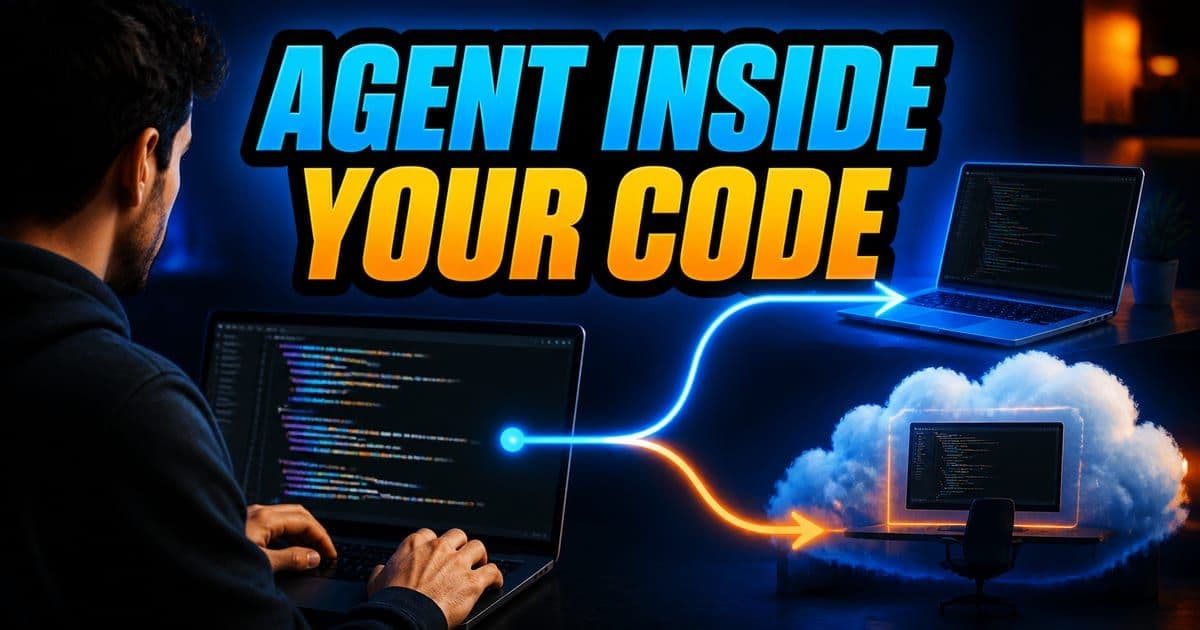
The Cursor SDK lets you run Cursor's agent from your own code: @cursor/sdk on npm for TypeScript and cursor-sdk on PyPI for Python. One interface wraps two runtimes. Local runs the agent loop in your process against files on disk; cloud runs it in a Cursor-hosted VM with your repository cloned in. Both send inference to Cursor's hosted models. For Go, Rust, Java, C# or another language, the SDK Bridge exposes the same agent surface over a local Connect/protobuf server.
On this page
What is the Cursor SDK?
The Cursor SDK is the programmatic way to run the same agent you use in the editor. Cursor's framing is that the SDK wraps local and cloud runtimes behind one interface, so you write the same code regardless of where the agent runs. It ships in two languages, and since release 1.0.24 they ship together from the same release and share a version number, so Python no longer trails TypeScript.
- Package
- @cursor/sdk
- Registry
- npm
- Runtime requirement
- Node.js 22.13 or later
- Package
- cursor-sdk
- Registry
- PyPI
- Runtime requirement
- Python 3.10 or later
| Package | Registry | Runtime requirement |
|---|---|---|
| @cursor/sdk | npm | Node.js 22.13 or later |
| cursor-sdk | PyPI | Python 3.10 or later |
Per cursor.com/docs/sdk/typescript and cursor.com/docs/sdk/python, checked 2026-07-27.
One installation detail catches people out often enough that Cursor documents it explicitly: the npm package name starts with an @, and the bare cursor/sdk does not exist on npm. The TypeScript package is also Node-first by design. It ships per-platform @cursor/sdk-<os>-<arch> binaries for sandboxing and ripgrep.
npm install @cursor/sdk

pip install cursor-sdk
First local @cursor/sdk run
0:28 · narratedRead this demo as text
- npm install at-cursor slash sdk, then one local Agent.create. The key stays in the environment — length only in the log. Agent.send streams status, a tool call, and a finished answer. Local is your process and files; the model is still hosted, and usage bills to whoever owns that key.
Practice next: Practice this yourself in the hands-on module.
Simulated Cursor 3.12 (macOS, light) — beta educational reconstruction, not the real product.
Node.js 22.13 is a specific enough floor that I would check it first when an install works on a laptop and fails on a build runner. The import behaviour is quieter. Importing @cursor/sdk does not eagerly load the local agent stack, because the local executor only loads on the first local acquire, so cloud-only and type-only consumers never pay that cost. The first local agent in a process pays it once and the module stays cached after that, which is worth remembering if you ever time one run and treat it as typical.
This exact topic is a hands-on Lesson: Checkpoints, queued messages and run control — about 9 minutes, free to read. Or try it live in the simulator →
Rather do it than read about it? Run 11 interactive Cursor walkthroughs in a simulated editor. Free, no account needed.
What is the difference between local and cloud runs?
Both runtimes expose the same interface, and you choose between them by which key you pass to Agent.create() (local or cloud), using the same CURSOR_API_KEY either way. What changes is where the agent loop runs and where your files live.
- Runtime
- Local
- What it does
- Runs the agent loop inline in your Node process. Files come from disk
- When Cursor recommends it
- Dev scripts and CI checks against a working tree
- Runtime
- Cloud (Cursor-hosted)
- What it does
- Runs in an isolated VM with your repo cloned in. Cursor runs the VMs
- When Cursor recommends it
- When the caller doesn't have the repo, you want many agents in parallel, or runs need to survive the caller disconnecting
| Runtime | What it does | When Cursor recommends it |
|---|---|---|
| Local | Runs the agent loop inline in your Node process. Files come from disk | Dev scripts and CI checks against a working tree |
| Cloud (Cursor-hosted) | Runs in an isolated VM with your repo cloned in. Cursor runs the VMs | When the caller doesn't have the repo, you want many agents in parallel, or runs need to survive the caller disconnecting |
Runtime comparison as published at cursor.com/docs/sdk/typescript, checked 2026-07-27.
The cloud trigger about runs surviving a disconnected caller is the one that tends to surface late, after something has already been built on local. Local is less fragile than that makes it sound: local handles can detach and reattach, and since 1.0.23 run history on disk survives interrupted writes. What local does not give you is a machine that keeps working when yours stops. The loop is inline in your Node process, so a runner that reclaims the job takes the run with it.
Cursor spells this out because the word invites the wrong reading: "Local" describes where the agent loop and filesystem access run, not where the model runs. All inference goes through Cursor's hosted models in both modes.
So local mode keeps your files on your machine and cloud mode runs in a Cursor environment, but the model is hosted in either case. If you are evaluating the SDK to satisfy a requirement that no code leaves your infrastructure for inference, local mode does not provide that.
How is the Cursor SDK structured?
There are three objects to learn, and the split between the first two is what makes multi-turn work straightforward: the agent holds the conversation, and each prompt gets its own handle for streaming and cancellation.
- Agent
- Durable container that holds conversation state, workspace config and settings. Survives across multiple prompts.
- Run
- One prompt submission. Owns its own stream, status, result and cancellation.
- SDKMessage
- Normalized stream events emitted during a run. The same shape across all runtimes.
Per the Core concepts table at cursor.com/docs/sdk/typescript, checked 2026-07-27.
Because the agent is the durable half, the move is to create one and keep it. Build a fresh agent per prompt and you throw away the conversation state, which is probably fine for a one-shot script and tiresome for anything that asks follow-up questions, since you end up restating context in every message. There is a caveat running the other way. Agent.create() validates options and returns a handle immediately, so a create that succeeds tells you your options parsed, not that a run will work.
Cursor's own quick start puts that shape on screen: one local agent pointed at the current working directory, then a loop over the events it streams back.
const agent = await Agent.create({
  apiKey: process.env.CURSOR_API_KEY!,
  model: { id: "composer-2.5" },
  local: { cwd: process.cwd() },
});

const run = await agent.send("Summarize what this repository does");

for await (const event of run.stream()) {
  console.log(event);
}
The Python equivalent uses a context manager and returns the text directly, which is the shorter path when you do not need to stream events:
import os

from cursor_sdk import Agent, LocalAgentOptions

with Agent.create(
    model="composer-2.5",
    api_key="crsr_key",
    local=LocalAgentOptions(cwd=os.getcwd()),
) as agent:
    print(agent.send("Summarize what this repository does").text())
Which shape you copy depends on whether anything downstream has to react before the run finishes. Streaming gives you that; .text() waits and hands back the finished text.
Which API keys work, and how are SDK runs billed?
Authentication is a single environment variable, CURSOR_API_KEY, or an apiKey option passed directly. In TypeScript, release 1.0.27 added a third path: Cursor.auth.login() opens a browser login, mints an API key and stores it in ~/.cursor/sdk/auth.json, after which Agent.create() works without either. The part worth checking before you plan a rollout is which kind of key is accepted, because one common choice is not supported yet.
- User API key
- Accepted for both local and cloud runs. From Cursor Dashboard → API Keys. Bills to that user's plan.
- Service account API key
- Accepted for both local and cloud runs. From Team settings. Bills to the team that owns the service account.
- Team Admin API key
- Not yet supported.
- Rates and pools
- SDK runs follow the same pricing, request pools and Privacy ModeCursor's setting that guarantees code data is not used for training by Cursor or its model providers, and that an admin can enforce org-wide; data-retention terms are a separate, contractual layer. Press Enter for the full definition. rules as runs from the IDE and Cloud AgentsAgents that run in a Cursor-managed virtual machine, check out the repo, do the work and open a pull request, then shut down, with no load on your laptop. Press Enter for the full definition..
Per the Authentication and Usage-and-billing sections at cursor.com/docs/sdk/typescript, checked 2026-07-27.
The unsupported row is the one that reshapes a plan. Team Admin API keys are not accepted yet, so the team-level credential an admin already holds is not the one your automation can present. The key Cursor documents for team-owned automation is a service account, which is an Enterprise-plan feature: a non-human account an admin creates under Dashboard → Settings → Service Accounts, consuming no extra seat and drawing usage from the team's pool. Its key is shown once at creation and rotated from that same screen.
Teams below Enterprise are left with a user key, so the automation belongs to a person and bills their plan. That is workable at small scale. I would still write down whose key each job runs on, because Cursor's own argument for service accounts is that automations keep running as people and roles change, which is the part a personal key does not cover.
Cursor states that SDK spend shows up in your team's usage dashboard under the SDK tag. That matters for anyone automating agent runs in CI: a script that loops over a hundred files spends from the same request pools as a developer working in the editor.
Because service account keys bill to the team and user keys bill to the individual, the key you hand your automation also decides whose budget absorbs it. Pick that deliberately rather than reusing whichever key was nearest.
You can also read the numbers from code. agent.getUsage() in TypeScript and agent.get_usage() in Python returned token usage, billed cost and a per-run breakdown for cloud agents from 1.0.25 (cost is server-derived, includes discounts and settles shortly after a run ends), and from 1.0.27 they work for local agents too, with a per-turn breakdown.
Should I use the SDK or the Cursor CLI?
Use the Cursor CLICursor's command line: the full agent, all modes and models, in the terminal and pipeable into scripts and CI. Press Enter for the full definition. when the caller is a shell, and the SDK when the caller is a program that has to do something while a run is still going. agent -p "..." is one prompt in, one result out, which is the right shape for a step in a CI job or a git hook. The SDK hands you objects instead: an agent that survives across prompts, and a run that owns its own stream, status, result and cancellation.
Streaming on its own is not the dividing line, granted, since the CLI can emit streamed JSON as well. The difference is that SDK events arrive as normalized SDKMessage values inside your process, against a handle you already hold, rather than a subprocess you parse and signal. If neither shape fits, Cursor points callers who want REST at the Cloud AgentsAgents that run in a Cursor-managed virtual machine, check out the repo, do the work and open a pull request, then shut down, with no load on your laptop. Press Enter for the full definition. API instead.
What if my language has no Cursor SDK?
Use the SDK Bridge, which Cursor describes as a small local server that embeds the TypeScript SDK and exposes the same agent surface over a stable Connect/protobuf protocol. The docs are careful about what it is for: if you write TypeScript or Python, install the first-party SDK instead, and Python already talks to a bundled copy of the bridge. The bridge exists so a platform team can write a thin adapter in Go, Rust, Java, C# or anything else, and Cursor's framing is that it is for SDK authors and platform teams, while application code should still depend on @cursor/sdk or cursor-sdk.
- Path
- TypeScript SDK
- Cursor says to use it when
- You are writing TypeScript or JavaScript.
- Path
- Python SDK
- Cursor says to use it when
- You are writing Python.
- Path
- SDK Bridge
- Cursor says to use it when
- You need Go, Rust, Java, C#, or another language.
- Path
- Cloud AgentsAgents that run in a Cursor-managed virtual machine, check out the repo, do the work and open a pull request, then shut down, with no load on your laptop. Press Enter for the full definition. API
- Cursor says to use it when
- You only need cloud agents over HTTP, with no local agent runtime.
| Path | Cursor says to use it when |
|---|---|
| TypeScript SDK | You are writing TypeScript or JavaScript. |
| Python SDK | You are writing Python. |
| SDK Bridge | You need Go, Rust, Java, C#, or another language. |
| Cloud AgentsAgents that run in a Cursor-managed virtual machine, check out the repo, do the work and open a pull request, then shut down, with no load on your laptop. Press Enter for the full definition. API | You only need cloud agents over HTTP, with no local agent runtime. |
Per cursor.com/docs/sdk/bridge. The protocol, standalone binaries and adapter guide live in the cursor/sdk-bridge GitHub repo; each release tag matches the TypeScript and Python SDK version.
The mechanics are plain once you see the shape. Your adapter spawns cursor-sdk-bridge, or attaches to one your platform already runs; the bridge binds a loopback HTTP/1.1 port and serves the sdk.v1 services. Classic gRPC over HTTP/2 will not connect, so you use a Connect client or plain POSTs with protobuf or JSON bodies. Two secrets are involved, and the docs keep them separate: your Cursor API key (user or service account keys; Team Admin keys are not supported yet) goes on create, resume and catalog calls and in the bridge's environment, while a per-process bearer token, generated during the ready-line handshake, goes on every RPC including streams. The bridge listens on 127.0.0.1 by default.
What I would take from the docs is the support boundary rather than the protocol. Cursor publishes and supports the sdk.v1 contract and the bridge binaries; it says adapters in other languages are not first-party SDKs, and to lead with TypeScript or Python unless you need a language they do not cover. Because the bridge embeds @cursor/sdk, new agent features land once in the bridge and adapters pick them up by bumping the binary, which is the reason to pin a release and vendor proto/ untouched. The docs even hand you a starting prompt: point a Cursor agent at the repo and have it build the adapter, covering codegen from proto/sdk/v1, process lifecycle, streaming, errors and callback servers.
What has shipped recently in the Cursor SDK?
The SDK moves quickly and the changelog is versioned, so it is worth knowing which release introduced the capability you are relying on rather than assuming it is present. The entries below are Cursor's own, newest first, taken from the SDK release notes. There is no 1.0.33 entry in them.
- Release
- 1.0.35
- What changed
- Custom tools: the execute callback of a local.customTools entry receives context.sessionId, the local session that invoked it, and subagents started with Task pass their own id so a host can keep state per child agent (TypeScript only; unset when the runtime has no session id). Local agents work on FIPS-enabled hosts, and existing local agent stores move to the new location automatically. Agents restored from the same process or VM snapshot no longer reuse request and session IDs. LocalSubagentInherit type declarations resolve without an unpublished internal package, via the newly exported LocalSubagentResourceProviderFields and LocalToolExecutor types
- Release
- 1.0.34
- What changed
- local.subagentInherit lets Task subagents, including nested ones, reuse the parent's custom read, write and shell executors, reported workspace path and allowed and excluded tools (TypeScript local agents only; unset behaves as before). Idle HTTP/2 connections close after 29 seconds so requests no longer hang on a connection the server already closed. Stalled connections fail with a retryable NetworkError coded connection_stalled, and a stall-retry streak stops after 3 minutes. Installing @cursor/sdk no longer adds @connectrpc/connect-node or undici 5.x
- Release
- 1.0.32
- What changed
- run.steer(text) now runs right away as the next turn when the agent has ended its turn to wait on background subagents, instead of resolving revert_to_followup (TypeScript local runs only). onDelta receives a tool-requests-listed update with a callCount once the model finishes listing a step's tool calls. The first cloud send() no longer fails with an id conflict when the SDK generated the agent id, and SDK-generated agent and run ids no longer repeat after a process is restored from the same snapshot. The standalone cursor-sdk-bridge executables stop loading .env and bunfig.toml from the working directory
- Release
- 1.0.31
- What changed
- Background subagent results return to the parent as a follow-up turn on the same run; run.stream() keeps yielding through those turns and run.wait() resolves after them (local agents, TypeScript and Python). annotations on a local.customTools entry pass MCPModel Context Protocol. A standard that lets an AI agent pull in context from outside the repo, like Jira tickets or internal docs. Press Enter for the full definition. tool annotations to the model as descriptive hints the SDK does not enforce (TypeScript only)
- Release
- 1.0.30
- What changed
- Local runs in TypeScript and Python refresh the short-lived access token before it expires, so agents running longer than an hour no longer fail with authentication errors. Cloud runs were unaffected
- Release
- 1.0.29
- What changed
- outputSchema (TypeScript) and output_schema (Python) declare a JSON Schema for a custom tool's structured result, advertised as the tool's MCPModel Context Protocol. A standard that lets an AI agent pull in context from outside the repo, like Jira tickets or internal docs. Press Enter for the full definition. output schema and not validated against it. Local agents only
- Release
- 1.0.28
- What changed
- Under Bun, @cursor/sdk resolves to a flat single-file bundle, so bun build --compile works with no import change; @cursor/sdk/bundled and @cursor/sdk/bundled/sqlite expose the same build for other single-file bundlers. TypeScript only
- Release
- 1.0.27
- What changed
- tools allowlists and disallowedTools removes built-in tools (Python: tools, disallowed_tools), local agents only and not persisted across resume. Cursor.auth.login(), status() and logout() in TypeScript. getUsage() works for local agents. cloud.openAsCursorGithubApp (Python: open_as_cursor_github_app) controls PR authorship. local.dirs loads rules, skills and context from several folders. Clearer Python error messages and codes. Admin command denylists now apply to local runs
- Release
- 1.0.26
- What changed
- platform.prewarmLocalWorkspace(options) resolves rules, skills, MCPModel Context Protocol. A standard that lets an AI agent pull in context from outside the repo, like Jira tickets or internal docs. Press Enter for the full definition. servers and ignore files before the first send. workspaceScanCacheTtlMs (and the CURSOR_RIPWALK_CACHE_TTL_MS variable) sets how long workspace scans stay cached. customTools no longer fail with an interactive-approval error on sandboxed or auto-review local runs. Signed macOS binaries. Python PermissionDeniedError, BadRequestError and InternalServerError inherit directly from CursorSDKError. Fixed a roughly 1-in-64 Python startup failure
- Release
- 1.0.25
- What changed
- agent.getUsage() (Python: get_usage()) returns token usage, billed cost and a per-run breakdown for cloud agents, and Agent.getUsage(agentId) works without a handle. Cloud-only at this release; local runs threw a typed configuration error
- Release
- 1.0.24
- What changed
- TypeScript and Python ship from the same release and share a version number; Python no longer trails. Long-running streams no longer drop mid-stream
- Release
- 1.0.23
- What changed
- Per-send environment variables for cloud runs via send(prompt, { cloud: { envVars } }); structured errors with message and code on failed runs; token usage in Python; local run history survives interrupted writes; streaming stalls under Bun fixed
- Release
- 1.0.22
- What changed
- Token usage on every run: per-turn usage events on run.stream() and cumulative totals on run.wait(), including for detached local handles that reattach
- Release
- 1.0.21
- What changed
- agent.send() works under Bun with the same behaviour as Node; Python list APIs and get_run accept runtime="cloud", "local" and "auto"
- Release
- 1.0.20
- What changed
- Importing @cursor/sdk no longer crashes under Bun
| Release | What changed |
|---|---|
| 1.0.35 | Custom tools: the execute callback of a local.customTools entry receives context.sessionId, the local session that invoked it, and subagents started with Task pass their own id so a host can keep state per child agent (TypeScript only; unset when the runtime has no session id). Local agents work on FIPS-enabled hosts, and existing local agent stores move to the new location automatically. Agents restored from the same process or VM snapshot no longer reuse request and session IDs. LocalSubagentInherit type declarations resolve without an unpublished internal package, via the newly exported LocalSubagentResourceProviderFields and LocalToolExecutor types |
| 1.0.34 | local.subagentInherit lets Task subagents, including nested ones, reuse the parent's custom read, write and shell executors, reported workspace path and allowed and excluded tools (TypeScript local agents only; unset behaves as before). Idle HTTP/2 connections close after 29 seconds so requests no longer hang on a connection the server already closed. Stalled connections fail with a retryable NetworkError coded connection_stalled, and a stall-retry streak stops after 3 minutes. Installing @cursor/sdk no longer adds @connectrpc/connect-node or undici 5.x |
| 1.0.32 | run.steer(text) now runs right away as the next turn when the agent has ended its turn to wait on background subagents, instead of resolving revert_to_followup (TypeScript local runs only). onDelta receives a tool-requests-listed update with a callCount once the model finishes listing a step's tool calls. The first cloud send() no longer fails with an id conflict when the SDK generated the agent id, and SDK-generated agent and run ids no longer repeat after a process is restored from the same snapshot. The standalone cursor-sdk-bridge executables stop loading .env and bunfig.toml from the working directory |
| 1.0.31 | Background subagent results return to the parent as a follow-up turn on the same run; run.stream() keeps yielding through those turns and run.wait() resolves after them (local agents, TypeScript and Python). annotations on a local.customTools entry pass MCPModel Context Protocol. A standard that lets an AI agent pull in context from outside the repo, like Jira tickets or internal docs. Press Enter for the full definition. tool annotations to the model as descriptive hints the SDK does not enforce (TypeScript only) |
| 1.0.30 | Local runs in TypeScript and Python refresh the short-lived access token before it expires, so agents running longer than an hour no longer fail with authentication errors. Cloud runs were unaffected |
| 1.0.29 | outputSchema (TypeScript) and output_schema (Python) declare a JSON Schema for a custom tool's structured result, advertised as the tool's MCPModel Context Protocol. A standard that lets an AI agent pull in context from outside the repo, like Jira tickets or internal docs. Press Enter for the full definition. output schema and not validated against it. Local agents only |
| 1.0.28 | Under Bun, @cursor/sdk resolves to a flat single-file bundle, so bun build --compile works with no import change; @cursor/sdk/bundled and @cursor/sdk/bundled/sqlite expose the same build for other single-file bundlers. TypeScript only |
| 1.0.27 | tools allowlists and disallowedTools removes built-in tools (Python: tools, disallowed_tools), local agents only and not persisted across resume. Cursor.auth.login(), status() and logout() in TypeScript. getUsage() works for local agents. cloud.openAsCursorGithubApp (Python: open_as_cursor_github_app) controls PR authorship. local.dirs loads rules, skills and context from several folders. Clearer Python error messages and codes. Admin command denylists now apply to local runs |
| 1.0.26 | platform.prewarmLocalWorkspace(options) resolves rules, skills, MCPModel Context Protocol. A standard that lets an AI agent pull in context from outside the repo, like Jira tickets or internal docs. Press Enter for the full definition. servers and ignore files before the first send. workspaceScanCacheTtlMs (and the CURSOR_RIPWALK_CACHE_TTL_MS variable) sets how long workspace scans stay cached. customTools no longer fail with an interactive-approval error on sandboxed or auto-review local runs. Signed macOS binaries. Python PermissionDeniedError, BadRequestError and InternalServerError inherit directly from CursorSDKError. Fixed a roughly 1-in-64 Python startup failure |
| 1.0.25 | agent.getUsage() (Python: get_usage()) returns token usage, billed cost and a per-run breakdown for cloud agents, and Agent.getUsage(agentId) works without a handle. Cloud-only at this release; local runs threw a typed configuration error |
| 1.0.24 | TypeScript and Python ship from the same release and share a version number; Python no longer trails. Long-running streams no longer drop mid-stream |
| 1.0.23 | Per-send environment variables for cloud runs via send(prompt, { cloud: { envVars } }); structured errors with message and code on failed runs; token usage in Python; local run history survives interrupted writes; streaming stalls under Bun fixed |
| 1.0.22 | Token usage on every run: per-turn usage events on run.stream() and cumulative totals on run.wait(), including for detached local handles that reattach |
| 1.0.21 | agent.send() works under Bun with the same behaviour as Node; Python list APIs and get_run accept runtime="cloud", "local" and "auto" |
| 1.0.20 | Importing @cursor/sdk no longer crashes under Bun |
Per cursor.com/docs/release-notes/sdk (1.0.24 and earlier also on cursor.com/docs/sdk/changelog), checked 2026-10-17.
Three things follow from that list. Bun support arrived in stages rather than all at once: importing stopped crashing in 1.0.20, agent.send() started working in 1.0.21, streams stopped stalling on long responses in 1.0.23, and single-file bun build --compile output arrived in 1.0.28. Pin a version rather than trusting a general claim that Bun works. Per-run token counts have only existed since 1.0.22 in TypeScript and 1.0.23 in Python, and billed cost on demand since 1.0.25 for cloud agents and 1.0.27 for local ones, which is the floor for any cost-attribution script you write against the SDK.
The third thing is that the 1.0.25 to 1.0.35 stretch is mostly about long-running and multi-agent local hosts. Tokens refresh before they expire (1.0.30), idle HTTP/2 connections close and stalls become a bounded, retryable connection_stalled error (1.0.34), background subagent results come back as follow-up turns (1.0.31), and subagents can inherit the parent's executors and tool limits through local.subagentInherit (1.0.34). If you run an agent as a service rather than a script, the version you started on probably predates several of those fixes. Two smaller changes matter if you build on the bridge or on snapshots: the standalone bridge executables stopped reading your project's .env and bunfig.toml in 1.0.32, and agents restored from the same process or VM snapshot stopped reusing request and session IDs in 1.0.35, with SDK-generated agent and run ids fixed the same way in 1.0.32.
On the TypeScript docs page as fetched 2026-07-27, Cursor called 1.0.23 the current package and said it publishes self-contained .d.ts files, so types resolve without pulling in unpublished workspace packages, with stream types such as TurnEndedUpdate coming back as real types instead of any. The docs also tell you to re-run your typecheck after upgrading, which is an easy line to skip. Code written while those events were untyped compiled because nothing was checking it, and it may not compile once they are. The same class of fix returned in 1.0.35, when the LocalSubagentInherit declarations stopped depending on an unpublished internal package.
When this article was first written, Cursor's TypeScript page described "the current package, @cursor/sdk@1.0.23" while the newest changelog entry was 1.0.24, and the release notes now run to 1.0.35. The prose on the docs page lags the releases, so treat its version number as a snapshot.
Check the registry rather than either page before pinning: the version-specific claims here (self-contained .d.ts files, joint TypeScript and Python releases, the usage and subagent features above) are tied to whichever release you actually install.
Frequently asked questions
What is the Cursor SDK?
The Cursor SDK runs Cursor's agent from your own code, in TypeScript via @cursor/sdk on npm or Python via cursor-sdk on PyPI. It wraps two runtimes behind one interface: local, where the agent loop runs inline in your process against files on disk, and cloud, where it runs in a Cursor-hosted VM with your repository cloned in.
Does the Cursor SDK run models locally?
No. Cursor is explicit that "local" describes where the agent loop and filesystem access run, not where the model runs. All inference goes through Cursor's hosted models in both local and cloud modes. Local mode keeps your files on your machine; the model is hosted either way.
What are the Cursor SDK requirements?
The TypeScript package requires Node.js 22.13 or later and ships per-platform @cursor/sdk-<os>-<arch> binaries for sandboxing and ripgrep, making it a Node-first package. The Python package requires Python 3.10 or later. Note the npm package name starts with an @, because the bare cursor/sdk does not exist on npm.
Should I use the Cursor SDK or the Cursor CLI?
Use the CLI when the caller is a shell: agent -p "..." sends one prompt and returns one result, which suits a CI step or a git hook. Use the SDK when the caller is a program that has to act mid-run, because it gives you an agent that survives across prompts and a run object with its own stream, status, result and cancellation. Cursor points callers who want REST at the Cloud Agents API instead.
Can I use the Cursor SDK from Go, Rust, Java or C#?
Through the SDK Bridge. It is a small local server that embeds the TypeScript SDK and exposes the same agent surface over a Connect/protobuf protocol (sdk.v1) on a loopback HTTP/1.1 port, so you write a thin adapter in your language. Cursor supports the sdk.v1 contract and the bridge binaries but calls adapters in other languages not first-party SDKs; use TypeScript or Python where you can. The Python package already bundles the bridge.
Which API keys does the Cursor SDK accept?
User API keys and service account API keys, for both local and cloud runs. Team Admin API keys are not yet supported. Set CURSOR_API_KEY or pass apiKey directly. Service account keys bill to the team that owns the service account, and user keys bill to that user's plan.
How is Cursor SDK usage billed?
SDK runs follow the same pricing, request pools and Privacy Mode rules as runs from the IDE and Cloud Agents, and the spend appears in your team's usage dashboard under the SDK tag. For per-run token counts in code, the SDK has emitted usage events since 1.0.22 in TypeScript and 1.0.23 in Python. Billed cost is available through getUsage() (get_usage() in Python) from 1.0.25 for cloud agents and from 1.0.27 for local agents.
Sources & last verified
- Cursor - TypeScript SDK
- Cursor - Python SDK
- Cursor - SDK changelog
- Cursor - SDK release notes
- Cursor - SDK Bridge
- Cursor - Cloud Agents API endpoints
- Cursor - Service accounts
Cursor ships frequently. Last updated October 17, 2026.